Built-in skill
App Automations
DeviceTurn familiar Android app flows into repeatable shortcuts, with your review at logins, payments, and other sensitive steps.
- Android — supported
- iPhone — not available
- Mac — not available
Inside the real app
Explore the screens in a demonstration workspace.
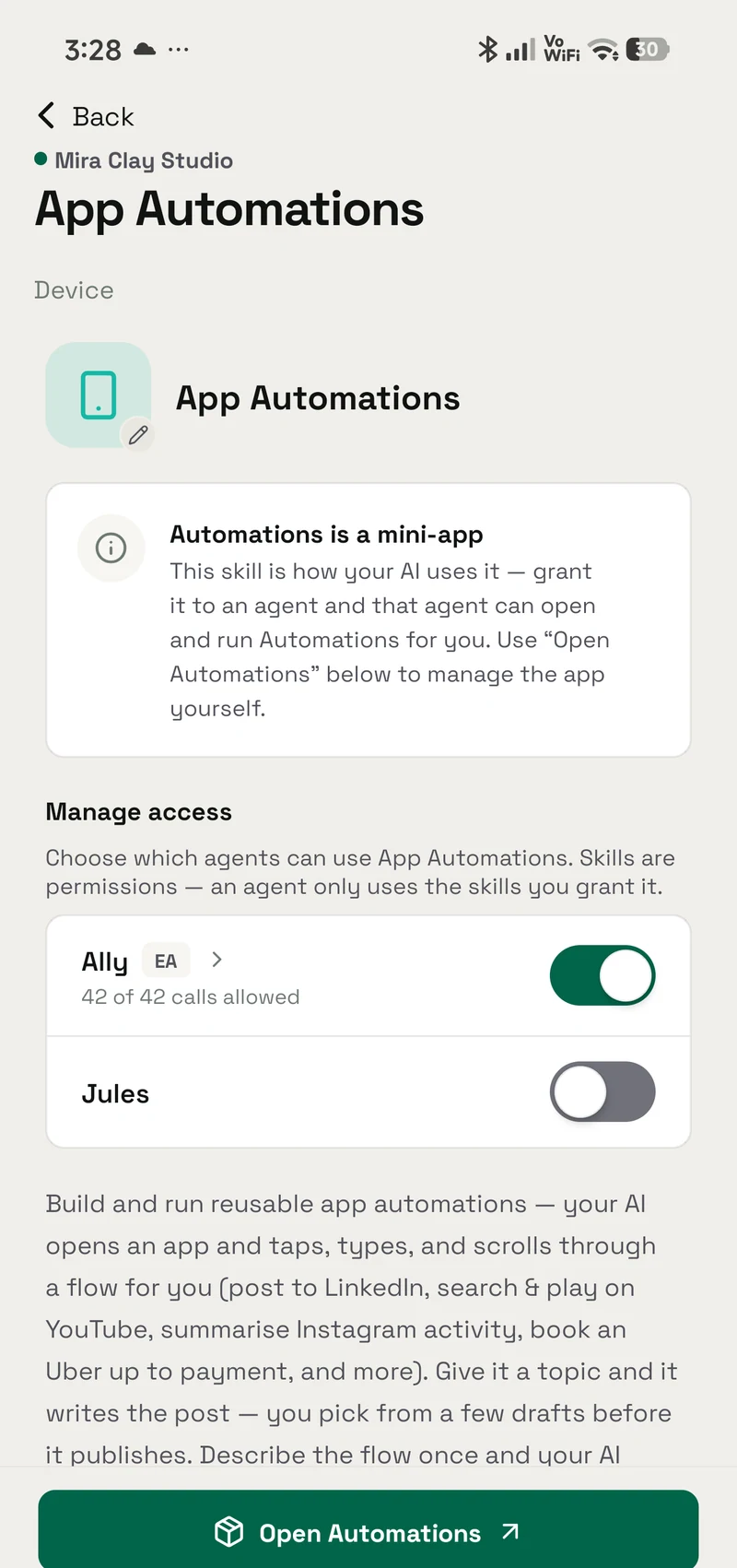
Turn a familiar Android app flow into a repeatable shortcut for bookings, posting, or form-filling, with handoff at sensitive steps.
Grant model
How granting works
A skill is a permission you hand to an agent, not a silent preload.
- Find it in Skills App Automations is built in, so there is nothing separate to install.
- Choose who can use it Give the skill only to the agents that need this job, and change that choice whenever you want.
- Review its access This skill does not ask for additional access.
Prompts
Try it with
The quick actions this skill puts in front of you in the app.
- Post to LinkedIn Set up an automation that posts to LinkedIn for me.
- Play something on YouTube Make an automation that opens YouTube and plays a video I search for.
- Summarise my Instagram Create an automation that checks my Instagram notifications and summarises them.
- Book an Uber Set up an Uber automation that gets a ride ready and hands off to me for payment.
- Teach it a custom flow Learn a custom automation for one of my apps — walk through it once and save the steps.
- Run an automation Run one of my saved automations.
- Schedule an automation Schedule one of my automations to run every morning.
- Run it when something happens What device signals can an automation react to?
- Why didn't it run? One of my triggers didn't fire — check what's going on with it.
Access summary
What it may use
It reaches the screen through the Aster companion, so it can only drive what an accessibility service can see.
- Network
- No network access
- Files
- No file access
- Memory
- No saved-memory access
- Credentials
- No connected-account access
- Media
- No media access
- Browser
- No browser access
Set up in Automations
This skill doesn’t have its own settings screen. Everything it uses is configured in Automations.
Related
Works with
The apps, skills and tools App Automations sits next to.
Automations
Turn familiar Android app flows into repeatable shortcuts
- Android — supported
- iPhone — not available
- Mac — not available
Aster
Give selected Android agents help with device jobs through the optional Aster companion, with your approval for sensitive actions.
- Android — supported
- iPhone — not available
- Mac — not available
More Device
Aster
Give selected Android agents help with device jobs through the optional Aster companion, with your approval for sensitive actions.
- Android — supported
- iPhone — not available
- Mac — not available
Screen assist
Summon your agent over another app and ask about the screen in front of you: a summary, an explanation, a translation, or a reply you can send.
- Android — supported
- iPhone — not available
- Mac — not available
Get App Automations
It is built into OpenAlly on the clients shown above, no separate skill download.