Built-in skill
Video Generation
CreativeCreate videos with the provider you choose and let longer renders finish in the background.
- Android — supported
- iPhone — supported
- Mac — supported

See what a creative workflow can make.
Three example product films made from studio assets. Your results depend on your brief, models and connected services.

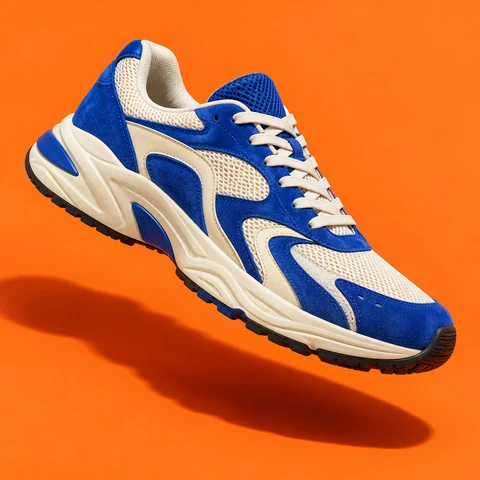

Many providers behind one surface (Veo, Sora, Runway, fal, Seedance, Wan, Pixverse) with an optional reference image, video or audio. Long renders always finish in the background.
Grant model
How granting works
A skill is a permission you hand to an agent, not a silent preload.
- Find it in Skills Video Generation is built in, so there is nothing separate to install.
- Choose who can use it Give the skill only to the agents that need this job, and change that choice whenever you want.
- Review its access This skill does not ask for additional access.
Prompts
Try it with
The quick actions this skill puts in front of you in the app.
- Make a short clip Generate a 6-second video of a paper boat drifting down a rain-soaked street at night.
- Animate an image Turn this photo into a short cinematic video with a slow push-in.
- Product teaser Create a 10-second product teaser video from this prompt and image.
- Check my video Is my video generation done yet?
- What can you make What video models and providers do I have available?
Access summary
What it may use
This skill does not ask for additional access.
- Network
- No network access
- Files
- No file access
- Memory
- No saved-memory access
- Credentials
- No connected-account access
- Media
- No media access
- Browser
- No browser access
Set up in Video Providers
This skill doesn’t have its own settings screen. Everything it uses is configured in Video Providers.
Related
Works with
The apps, skills and tools Video Generation sits next to.
Video Providers
Choose a video provider and model for the clips you create
- Android — supported
- iPhone — supported
- Mac — supported
Image Generation
Create or edit images with the provider you choose, then return the finished picture to the conversation.
- Android — supported
- iPhone — supported
- Mac — supported
Background Tasks
Keep long jobs moving after a chat reply and see progress, results, or cancellation from one place.
- Android — supported
- iPhone — supported
- Mac — supported
More Creative
Companion Face
Give an approved agent an expressive companion face for gestures, moods, speech, and helpful daily moments.
- Android — supported
- iPhone — not available
- Mac — supported
Image Generation
Create or edit images with the provider you choose, then return the finished picture to the conversation.
- Android — supported
- iPhone — supported
- Mac — supported
Motifling
Turn a product, project, or idea into a small character mark: three directions to choose from, then four square variants of the one you pick. It renders with an image model you have connected, so it can cost money.
- Android — supported
- iPhone — supported
- Mac — supported
Motion Studio
Ask for a launch film, a product reel or a kinetic-type promo. Your agent writes it, checks its own frames, then renders an MP4 on your Android phone, up to 4K at 60 fps.
- Android — supported
- iPhone — not available
- Mac — not available
Get Video Generation
It is built into OpenAlly on the clients shown above, no separate skill download.