
 OpenAlly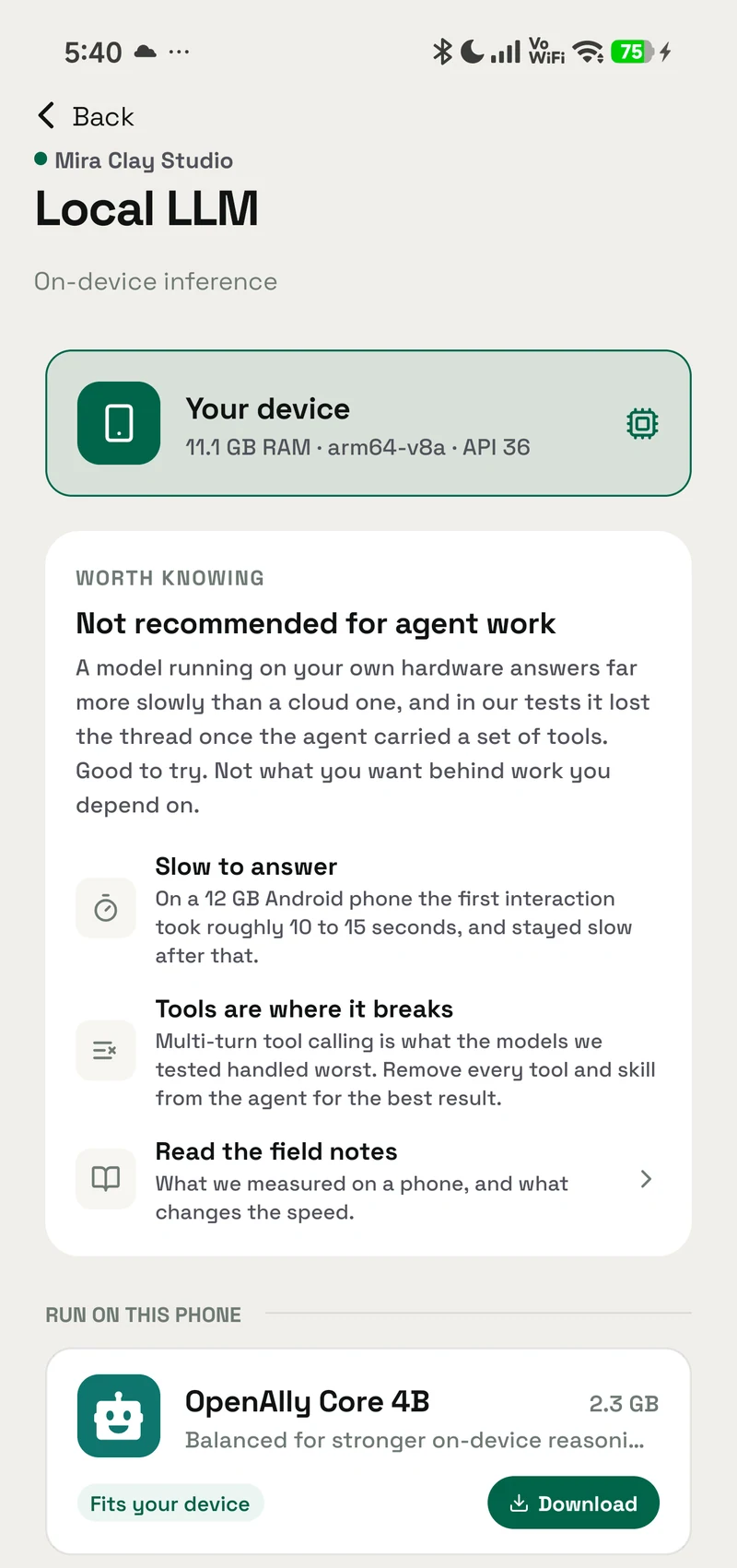
A phone in 2026 can run a real language model with the aeroplane mode switch on. That part is settled. What happens next, when you want the thing to do something other than talk back, is where it gets harder.
Decision
Short answer
A modern phone runs a small language model offline, and it is genuinely useful for private text work: drafting, summarising, sorting, transcribing. Making that same model act on your accounts, so it can answer a customer, raise an invoice or move a booking, is a separate and much harder layer. The binding limit is the space the model has left to think in once you have described everything it is allowed to do.
Two useful lanes, one deliberate boundary
Offline work map- DraftA reply you can edit
- SummariseA long private note
- SortText into clear buckets
- TranscribeAndroid Whisper
The model request has nowhere else to go.
- CustomerRead the live thread
- StockCheck current quantity
- PaymentPrepare a link
- BookingMove the appointment
Connection and access must be granted first.
On the device
What a phone can actually run today
Offline AI on a phone means the model file sits in the phone's storage and the arithmetic happens on the phone's own chip. No request leaves the handset, so it works on a plane, in a basement, and on a prepaid data plan that ran out on the 20th.
The size band runs from a few hundred megabytes to a few gigabytes. At the small end, Google's AI Edge team documents Gemma 3 1B at 529MB, reading up to 2,585 tokens per second on a mobile GPU, which it describes as processing about a page of content in under a second. That figure is the speed of reading a prompt rather than the speed of writing an answer, and the two are far apart on a phone. At the larger end, the two on-device packages in OpenAlly's Android catalogue weigh 2.59GB and 3.66GB, behind device-memory floors of 6GiB and 8GiB (about 6.4GB and 8.6GB), as recorded in our Gemma 4 field notes.
Storage is the easy half. Installed memory is not available memory: in one load attempt in the same field notes, a 12GB handset reported roughly 5.2GB actually free, and the load failed under memory pressure. That is one observation on one device, not a minimum-RAM rule, and it is why the floors sit so far above the file sizes.
Running a model and letting it call something are also two different pieces of software, shipped on different timetables. Google's on-device function calling library, the piece that lets a local model decide to invoke something, ships as its own component with its own documentation.
Hardware matters too. MLC LLM, the engine behind one of the better-known local chat apps, states in its Android deployment documentation that it needs an actual mobile GPU, and names the Samsung S23 with Snapdragon 8 Gen 2 as the handset its demo build targets. That is a note about a reference build and not a published minimum specification, but it is a fair signal of what these engines are tuned against. Assume a recent phone, and treat an older or cheaper one as something to test.
A model file can fit before the runtime does
Phone runtime cutaway- 529 MB
- Gemma 3 1BGoogle mobile referencePublished example
- 2.59 GB
- OpenAlly package6 GiB device-memory floorAndroid catalogue
- 3.66 GB
- OpenAlly package8 GiB device-memory floorAndroid catalogue
Google's 2,585 tokens-per-second figure measures prompt reading, not how quickly the phone writes an answer.
Keep headroom for the operating system, the app, and the model while it works.
Strengths
What a local model is genuinely good at
PocketPal AI runs on Android, iOS and iPadOS, downloads models from Hugging Face, benchmarks them, and works entirely offline once a model is on the device. MLC Chat does the same job on a different engine, compiling models ahead of time for the phone's GPU.
For one class of work they are the right tool:
- Drafting. A reply, a description, a first pass at a message you will edit anyway.
- Summarising. A long note, a transcript, a document you do not want to paste into a website.
- Sorting and labelling. Deciding which of five buckets a piece of text belongs in.
- Transcription. Turning a recording into text without the audio leaving the handset. OpenAlly ships this as the Whisper tool on Android, and the Local LLM tool covers the text side on Android and iPhone.
Every one of those jobs has the same shape. Text goes in, text comes out, and nothing outside the phone needs to change as a result. That shape is what small models are good at, and privacy here is structural, because the request genuinely has nowhere else to go.
The local sweet spot is a closed text loop
On-device work loopAndroid + iPhone for local text work
Android for OpenAlly Whisper transcription
The limit
Where local tool use stops
Several local models can use tools already. PocketPal's repository documents a tool-use loop where the model calls built-in engines mid-conversation: calculate for arithmetic, datetime for the current date and time, and render_html for displaying generated markup.
Each of those runs inside the conversation. One evaluates an expression, one reads the clock, one draws markup the model has just written. None of them opens a door to something that belongs to you.
The jobs that give a person hours back are the other kind. Look at the customer message that came in overnight. Check whether that item is in stock. Send the payment link. Move the two o'clock appointment and tell the customer it moved. Each of those has to reach a real account, read the current state of something, and change it. That is a different category of work, and self-contained tools do not reach it.
If what you want is a private assistant that drafts and summarises with no account and no connection, a good local chat app is the correct answer, and you can stop here with the right tool already chosen.
A self-contained tool stops at the account boundary
Tool reach boundary- calculateEvaluates an expression
- datetimeReads date and time
- render_htmlDisplays generated markup
Result returns to this chat.
- CustomerRead the live thread
- StockCheck current quantity
- PaymentPrepare a link
- BookingMove the appointment
Self-contained tools do not cross this boundary by themselves.
Mechanics
Why doing is harder than chatting
Before a model can choose an action, it has to be told what actions exist. Each one arrives as a schema: a name, a description, the arguments it takes, the allowed values. The model reads all of that before it decides anything. On a phone, those descriptions compete for the same small context window as your actual message.
In our own testing on 21 July 2026, described in the Gemma 4 field notes, the schemas for fifteen tools alone were estimated at 2,825 tokens. Against that build's 4,096-token window, the menu took 69% of the room (2,825 of 4,096 tokens) before the conversation started.
A 4,096-token window before the conversation starts
Measured token budgetThe 4K window was already overfull
- Tool schemas
- 2,825
- History on wire
- 5,612Includes 5,483 system tokens
- Wire total
- 8,446
The system prompt sits inside the wire history. It is shown for diagnosis, not added a second time.
Input reaches the limit before a reply can begin.
Fewer, shorter schemas leave space for the answer.
The squeeze is not ours alone, and it does not ease at scale. Four groups have published measurements on large tool catalogues, from Microsoft Research, GitHub, Anthropic and a chance-corrected study from Meta:
| Finding | Reported as | Source |
|---|---|---|
| Large tool spaces can lower model performance for some models | Up to 85% lower | Microsoft Research, 11 September 2025 |
| Public servers already publish catalogues far past what a small window holds | 256 tools in the largest one catalogued | Microsoft Research, 11 September 2025 |
| Tools across those servers collide on names, so the model cannot tell them apart by name alone | 775 tools carrying colliding names | Microsoft Research, 11 September 2025 |
| A 16,000-token model runs out of window once enough tools are described to it at once | 93 tools | Microsoft Research, 11 September 2025 |
| Cutting a default toolset improved task success and cut latency | 40 tools down to 13, worth 2 to 5 percentage points on SWE-bench Verified and SWE-Lancer with GPT-5 and Sonnet 4.5, and roughly 400ms | GitHub, 19 November 2025 |
| Selecting tools by relevance beat handing over a fixed list | 94.5% tool-use coverage against 69.0% | GitHub, 19 November 2025 |
| Loading tool descriptions on demand cut token use and raised tool-use accuracy | 85% fewer tokens; accuracy 49% to 74% on Opus 4 and 79.5% to 88.1% on Opus 4.5 | Anthropic, 24 November 2025 |
| Showing roughly seven tools matched the coverage of a fixed list of fifty | 90.3% against 90.8% | Meta preprint, 23 May 2026 |
| Choosing about two tools per question instead of a fixed five raised how often Claude Sonnet 4.6 picked the right tool when it was among those shown | 87.1% to 93.1% | Meta preprint, 23 May 2026 |
Large tool spaces can lower model performance for some models
- Reported as
- Up to 85% lower
- Source
- Microsoft Research, 11 September 2025
Public servers already publish catalogues far past what a small window holds
- Reported as
- 256 tools in the largest one catalogued
- Source
- Microsoft Research, 11 September 2025
Tools across those servers collide on names, so the model cannot tell them apart by name alone
- Reported as
- 775 tools carrying colliding names
- Source
- Microsoft Research, 11 September 2025
A 16,000-token model runs out of window once enough tools are described to it at once
- Reported as
- 93 tools
- Source
- Microsoft Research, 11 September 2025
Cutting a default toolset improved task success and cut latency
- Reported as
- 40 tools down to 13, worth 2 to 5 percentage points on SWE-bench Verified and SWE-Lancer with GPT-5 and Sonnet 4.5, and roughly 400ms
- Source
- GitHub, 19 November 2025
Selecting tools by relevance beat handing over a fixed list
- Reported as
- 94.5% tool-use coverage against 69.0%
- Source
- GitHub, 19 November 2025
Loading tool descriptions on demand cut token use and raised tool-use accuracy
- Reported as
- 85% fewer tokens; accuracy 49% to 74% on Opus 4 and 79.5% to 88.1% on Opus 4.5
- Source
- Anthropic, 24 November 2025
Showing roughly seven tools matched the coverage of a fixed list of fifty
- Reported as
- 90.3% against 90.8%
- Source
- Meta preprint, 23 May 2026
Choosing about two tools per question instead of a fixed five raised how often Claude Sonnet 4.6 picked the right tool when it was among those shown
- Reported as
- 87.1% to 93.1%
- Source
- Meta preprint, 23 May 2026
The results point the same way. Past a certain number, extra options stop paying for themselves: they cost window, they cost latency, and on some models they cost accuracy. Each team reached the same fix: work out which few actions this particular request needs, describe only those, and leave the rest out of the conversation.
That fix is cheap on a server, where you can afford a second model call to do the working out. On a phone, with a small window and a battery, you have to do it without one. That was the part of building a phone agent that took us longest.
At work
What that means for your work
Split the jobs you want done into the two categories above.
Jobs a local model handles well on its own. Draft the reply. Summarise the meeting. Tidy the note. Turn the voice memo into text. These stay on the phone, cost nothing per use, and work with no signal.
Jobs that need to reach your accounts. These are the four from earlier: the customer thread, the stock check, the payment link, the booking. Each needs an account connection you have granted, and a model chosen for the job rather than for the phone it runs on. They return hours where the first group returns minutes. That is the story in how an AI agent runs a small business.
Most people want both, which is why the sensible design leaves the choice with you. OpenAlly keeps the private text work on the device and lets you route the rest to a provider you already trust, a plan you already pay for, a server you run, or the OpenAlly service. The trust and control guide sets out where each route sends a request. "It runs locally" and "nothing ever leaves the phone" are different promises. The first is about where the model runs. The second is about every other request the app makes, and it is much harder to keep.
Choose the route that fits this job
Model choice workbench
Change the route, not the work
- On deviceFor supported local work
- Your provider keyDirect to your choice
- Your subscriptionUse a supported account
- Your own serverUse a compatible address
- OpenAlly CloudChoose the hosted route
Fit
Choosing what to run where
Match the job to the tool.
| What you want | What to use |
|---|---|
| Private drafting and summarising, no account, no connection | A dedicated local chat app such as PocketPal AI or MLC Chat, which is simpler than anything else here |
| The same, plus transcription and document work, inside a wider app | OpenAlly's Local LLM tool, with Whisper transcription on Android, and the option to switch to a larger model when a job needs it |
| Anything that reads or changes a real account, order, invoice or booking | An agent with permissions you granted, such as OpenAlly, and a model chosen per job |
| Work that starts on a phone and continues on a laptop | A product that treats both as the same body of work |
Private drafting and summarising, no account, no connection
- What to use
- A dedicated local chat app such as PocketPal AI or MLC Chat, which is simpler than anything else here
The same, plus transcription and document work, inside a wider app
- What to use
- OpenAlly's Local LLM tool, with Whisper transcription on Android, and the option to switch to a larger model when a job needs it
Anything that reads or changes a real account, order, invoice or booking
- What to use
- An agent with permissions you granted, such as OpenAlly, and a model chosen per job
Work that starts on a phone and continues on a laptop
- What to use
- A product that treats both as the same body of work
Start with the phone; continue with more room
Continuity workbenchWrite down whatever must keep working with no signal. That short list decides your local model. Everything else can afford a network request.
Questions
Frequently asked questions
Five checks before you choose an offline model
Offline preflight- 01PlatformAndroid and iPhone run local models.Both
- 02MemoryThe model needs working space beyond its file.Headroom
- 03PrivacyLocal describes the model request, not the whole app.Check scope
- 04Tool reachAccount actions need permission and current state.Two layers
- 05CostStorage, battery and waiting time still count.No request fee
Does offline AI work on iPhone as well as Android?
Both platforms run local models. PocketPal AI documents support for Android, iOS and iPadOS, and OpenAlly's Local LLM tool is built for both. Where OpenAlly differs today is transcription: the Whisper tool is an Android capability. The download page lists where OpenAlly stands on each platform.
How much memory does my phone need?
More than the model file. Google's mobile-optimised Gemma 3 1B is a 529MB download, and a running model needs working space on top of that beside the operating system and everything else open. In our own testing a 12GB handset had roughly 5.2GB genuinely free when a model tried to load. OpenAlly's device-memory floors of 6GiB and 8GiB are safety gates we chose, not hardware requirements anyone has published.
Is a local model automatically private?
The model request is, because it has nowhere to go. An app around it can still send other things: analytics, crash reports, backups, or a fallback request to a service when the local model cannot handle a job. Read what the app says it sends. The word "local" does not tell you. OpenAlly's privacy policy lists what leaves the device and when.
Can a local model actually do things, or only chat?
Some can call tools, and the tools tend to be self-contained ones such as PocketPal's calculate and datetime. Reaching your messages, orders or calendar is a different layer that needs granted permissions and enough context space to describe the available actions. The published evidence, from Microsoft Research through Anthropic, GitHub and Meta's chance-corrected study, is that the answer is to show the model a small, relevant set of actions rather than all of them.
Does running a model locally cost anything?
The download is one-off and the arithmetic is free after that. The cost shows up as storage, battery and speed. In our own June 2026 field test on a Galaxy S26 Ultra, the first response took roughly 10 to 15 seconds. That is a fair trade for private work and a poor one when a customer is waiting.
Sources and references
These public pages support the product facts, technical specifications, background, and reference measurements in this article. Details were checked on the review date shown above.
- Google AI Edge: small language models with multimodality, RAG and function calling
- PocketPal AI repository
- MLC LLM Android deployment documentation
- Anthropic engineering: advanced tool use
- Microsoft Research: tool-space interference in the MCP era
- GitHub: making Copilot smarter with fewer tools
- How Many Tools Should an LLM Agent See? A Chance-Corrected Answer (Meta Platforms, preprint)
Read us on your terms
Google lets you name the sites you want to hear from. Add OpenAlly and these articles surface more often in your own Search results — your preference, revocable from the same screen, and it changes nothing for anyone else.