 OpenAlly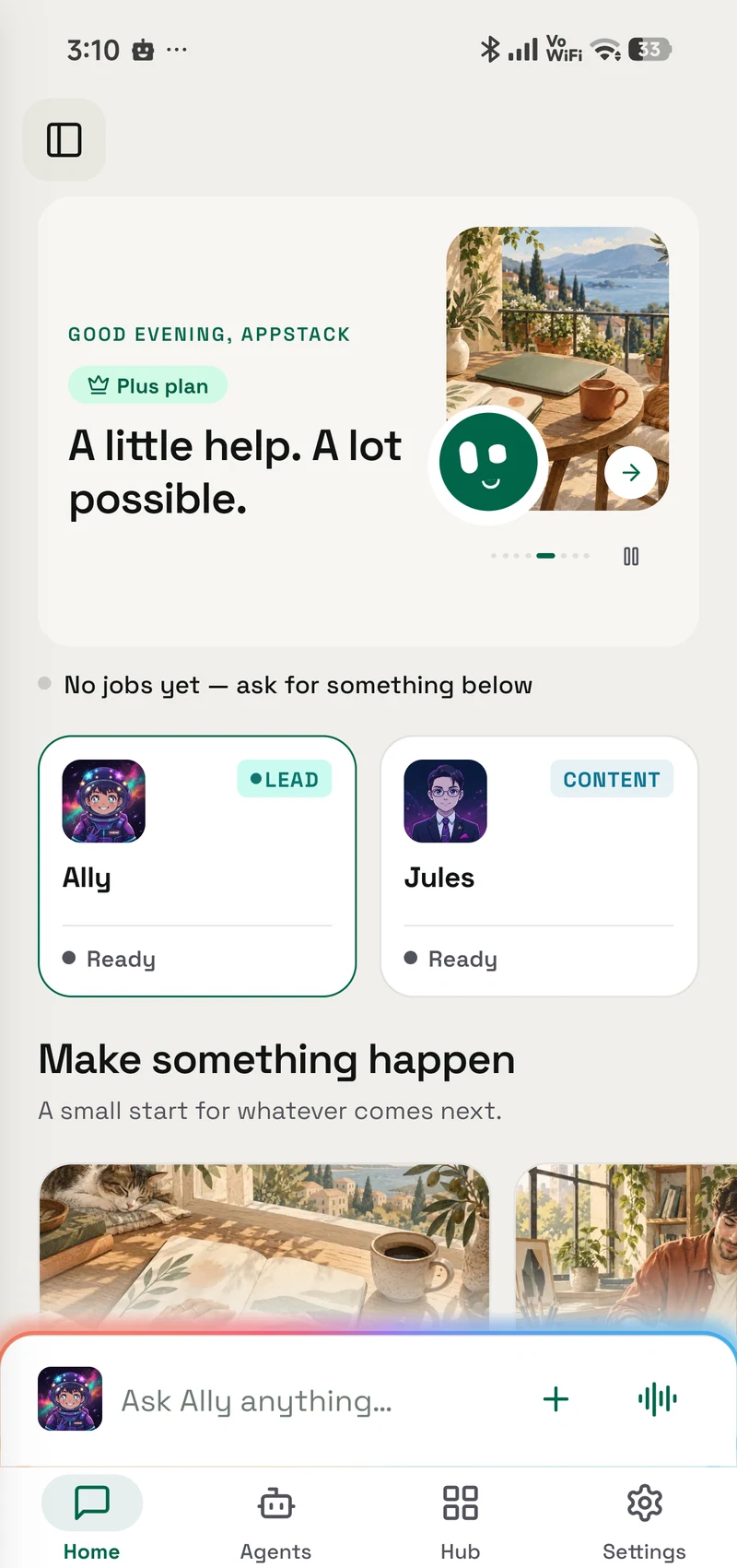
In OpenClaw's official mobile design, the Android app is a client. The agent and its working state live on a second host you have to keep available: a laptop, desktop, home server or hosted server.
That is a deliberate design. It decides what still has to be switched on when you leave the desk.
01 / Decision
Short answer
OpenClaw's official Android app needs another host. Its documentation lists an OpenClaw Gateway on macOS, Linux or Windows as a requirement. The phone is a client; the other host runs the agent and owns its state. OpenClaw's own remote guide says that host can be a laptop, desktop, home server or hosted server. Where the AI model runs is a separate choice.
OpenAlly runs the agent and keeps its working records on the phone itself. There is no second OpenAlly host to install, pair or keep reachable. The product spans Android and iPhone with Mac continuity on the same OpenAlly account, while the download page remains the source of truth for current platform availability. A cloud model or connected service still needs that service and an internet connection.
Both designs are deliberate, and the rest of this article explains what each one buys you.
02 / How it works
What a phone agent has to do before it can help you
An agent is not a single thing. Underneath, several different jobs have to happen, and products place them in different locations.
The interface listens, shows, taps and types. It is the part you can see on the phone, but seeing it there does not tell you where the rest lives.
The agent keeps the task moving. It decides which record, tool or model to use next, checks what happened, and carries the result into the following step.
The AI model reasons over each request and proposes an answer or next action. It can run on the phone, on a computer you own, or at a provider you choose. That location is a separate decision from where the agent runs.
The memory holds what the work depends on: your history, notes, customers, files and other records.
Every product in this category has AI. Ask instead where the interface, agent, model and memory live, because those four answers determine when the product works and what it can reach.
The parts behind one chat box
Agent location map- InterfacePhone surfaceListens, shows, taps and types.
- AgentOn this phoneKeeps the task moving from step to step.
- MemoryOn this phoneHolds history, knowledge and working records.
- AI modelRoute you chooseReasons over each request and returns an answer.
The model plugs into this work through the route you choose; it does not decide where the rest of the system lives.
03 / OpenClaw
What OpenClaw's Android app is built to do
OpenClaw is an open-source project in this category. Its creator joined OpenAI in February 2026, and the project is now stewarded by an independent non-profit foundation. Android and iPhone apps arrived on 30 June 2026.
The Android app is capable. Reading OpenClaw's own Android documentation, it handles chat with full history, camera photos and video, voice notes and a continuous talk mode, questions about the phone's own status and content, read-only file browsing, approval prompts, and a Wear OS companion. Messages you send while out of signal are saved on the phone first and delivered later.
What it does not do is run your agent on Android. The documentation calls the app a companion and tells you to "run it on macOS, Linux, or Windows via WSL2". OpenClaw's remote-host guide is more precise: the other host owns sessions, channels and state, and it runs the agent. The phone connects as a client. The AI model may still be on that host or at a provider elsewhere.
That arrangement has real advantages. An agent on an always-available host can reach that host's files and software, avoids making a phone battery the centre of the system, and keeps working after you put the phone down. The official remote guide explicitly covers persistent hosted servers, home servers, desktops and laptops.
If you already maintain one of those hosts, keeping the agent there is a sensible way to stay close to the files and software you want it to use. It is one reasonable design among several.
04 / Setup
The setup that design asks for
The consequence shows up during installation. Following OpenClaw's documented steps, you install and start the OpenClaw Gateway on the chosen host, then open the Connect tab on the phone, approve the pairing from that host's command line, and check the connection there again.
None of that is hidden. It is all in the documentation, and it gives the operator direct control over pairing. It also asks more than installing a phone app by itself.
The second consequence matters more day to day. OpenClaw documents remote access to a home server, hosted server, desktop or laptop, so the host does not have to be in your house. The dependency remains: if the chosen host is asleep or unreachable, the Android client does not take over the agent's work.
Setup shows which host owns the agent
Setup dependency map- 01Start the GatewayRun it on macOS, Linux or Windows via WSL2.
- 02Connect AndroidChoose the host from the phone's Connect tab.
- 03Approve pairingAccept the request from the agent host's command line.
- 04Verify the connectionCheck it from that command line again.
The chosen host must remain reachable.
- 01Open it on the phoneUse the core app without a second agent host.
- 02Choose an AI routeUse an on-device model, your provider, subscription or server.
- 03Ask it to workThe agent and your working records are already on that phone.
No second agent host has to stay reachable.
05 / Workarounds
Why people try to run it on the phone anyway
Community projects show that people do want the whole OpenClaw installation on an Android phone.
One documented route installs OpenClaw through Termux or a standalone community app. Its author reports a 3–10 minute automated installation and includes guidance for keeping the work available under Android's battery management.
That is a legitimate route for people who want OpenClaw itself on the handset and are comfortable relying on a community-maintained package. It is different from the official companion app, so support, updates and device constraints are part of the choice.
The same project's documentation says local AI inference is technically functional, then lists the practical limits: free memory, model storage and CPU speed. It recommends a cloud provider for production use. That is why “the agent is on the phone” and “the AI model is on the phone” are separate questions.
06 / On the device
What changes when the agent runs on the phone itself
OpenAlly starts from the other end. The agent and its working records sit on the device in your hand, and it works whenever you, a schedule or an enabled event trigger it.
So the dependency gets smaller. There is no second OpenAlly host to install, no host pairing to redo and no home network to return to. The download page shows current availability across Android, iPhone and Mac.
Because the agent lives with your records rather than beside them, a customer message can become a quote, an order that reserves stock, a payment link and a numbered invoice without you stitching the steps together. The practical guide to running a small business this way follows that journey end to end, and the feature catalogue shows what you can put to work today.
A computer still helps when you want one. Sign in to the Mac app with the same account and your agents and chat history continue there, where there is more room to review what each agent is allowed to do. The Mac extends the work rather than hosting the phone's agent. Close the laptop and the agent on your phone carries on with whatever does not depend on an online service.
The computer is an option, not a requirement
Continuity workbenchOn the specific job of driving the phone's screen for you, OpenAlly keeps that separate. Screen control, calls and messages come through Aster, an optional open-source companion you install on the same Android phone and can stop on its own. It is a second app rather than a second machine, and it is scoped to that Android device rather than to the whole product. You grant Android screen access to Aster, separately from everything else OpenAlly does.
Screen control stays a separate choice
Android + Aster workbenchAndroid-specific, by design
- Separate companionOpenAlly stays cross-platform
- Permission by choiceYou decide what it may use
- Visible stopEnd the action from the screen
- Open sourceInspect Aster separately

07 / Model choice
Where the model runs is a separate question
"The agent runs on your phone" and "the model inference also happens on your phone" are different claims. OpenAlly makes the first one. The second depends on a supported route you choose.
Phone agents often split those two locations: the interface sits on the handset while the model request travels over the internet to a provider. That is common across the category.
The interface, agent and working memory are on your device. The AI model can be wherever you choose to put it: bring your own provider key, sign in with a subscription you already pay for, point OpenAlly at your own server, or pick a model that runs directly on the phone. Our engineering notes on running a model on an Android phone cover what that last route can and cannot do today, measured rather than promised. You sign in to an OpenAlly account when you set the app up.
The two change independently. You can switch which model answers you without rebuilding any of your work, and the trust and control guide sets out where your information sits in each case.
Change the route, not the work
Model choice workbench
Change the route, not the work
- On deviceFor supported local work
- Your provider keyDirect to your choice
- Your subscriptionUse a supported account
- Your own serverUse a compatible address
- OpenAlly CloudChoose the hosted route
08 / Fit
Which setup fits you
| What you want | The better fit | Why |
|---|---|---|
| An agent that works on a bus, in a shop, or away from home | OpenAlly | The agent is on the phone, so there is no second OpenAlly host to keep reachable. Online models and services still need a connection. |
| An agent that reaches the files and software on another host | OpenClaw | Its documented design puts the agent on that host, which is where those things already are. |
| To run customer records, stock, orders, invoices and payments | OpenAlly | Those records are part of the product rather than apps an agent has to drive. |
| To self-host the agent and contribute to its code | OpenClaw | It is open source with an independent foundation behind it. |
| To avoid pairing your phone with another agent host | OpenAlly | The agent and working records are already on the phone. |
| To move between supported phone and desktop surfaces | Both | OpenAlly continues the signed-in account, agents and chat history from phone to Mac. OpenClaw connects its clients to the same agent host. |
An agent that works on a bus, in a shop, or away from home
- The better fit
- OpenAlly
- Why
- The agent is on the phone, so there is no second OpenAlly host to keep reachable. Online models and services still need a connection.
An agent that reaches the files and software on another host
- The better fit
- OpenClaw
- Why
- Its documented design puts the agent on that host, which is where those things already are.
To run customer records, stock, orders, invoices and payments
- The better fit
- OpenAlly
- Why
- Those records are part of the product rather than apps an agent has to drive.
To self-host the agent and contribute to its code
- The better fit
- OpenClaw
- Why
- It is open source with an independent foundation behind it.
To avoid pairing your phone with another agent host
- The better fit
- OpenAlly
- Why
- The agent and working records are already on the phone.
To move between supported phone and desktop surfaces
- The better fit
- Both
- Why
- OpenAlly continues the signed-in account, agents and chat history from phone to Mac. OpenClaw connects its clients to the same agent host.
If you already run a home server or hosted server and want the agent close to it, OpenClaw's approach is the point. If your phone is where your work actually happens, a second agent host may be a dependency you do not need.
09 / Chapter
What has to stay reachable
When the agent stops working, what turned off?
With OpenAlly, the core answer is the phone. The agent and its working records are on the device you are carrying. A model provider, connected service or cross-device feature may still be online, but there is no second OpenAlly host running the agent.
With OpenClaw, the answer includes the chosen host: a laptop, desktop, home server or hosted server. That is the right trade for people who want an open-source agent close to that host's files and software.
If you would rather not maintain a second agent host, start with OpenAlly.
10 / Questions
Frequently asked questions
Do I need a computer to use an AI agent on my phone?
It depends on the product. OpenClaw's Android documentation lists an OpenClaw Gateway on macOS, Linux or Windows as required, so the official app needs another reachable host. That host can be your computer, a home server or a hosted server. OpenAlly runs its agent on the phone, so there is no second OpenAlly host to pair or keep reachable.
Does OpenAlly work on iPhone as well as Android?
OpenAlly's product scope includes iPhone alongside Android and Mac. The download page is the source of truth for current platform availability. Android screen control is the exception: it needs the separate Aster companion, so it stays scoped to Android.
Does an AI agent on a phone work without internet?
Partly. The agent is on the device, but offline work also needs an on-device model and on-device data or tools. Cloud models, web search, connected accounts, messaging channels and sync still need a connection. The on-device model field notes show the current limits of the fully local route.
Is my information leaving the phone?
Messages and knowledge stay on the device. Business records and the notes you write in the Notes app are kept in your OpenAlly account, so the same records and notes appear on your other devices. Feature data may leave when a request needs an outside service: for example an AI provider, connected account, messaging channel, search service or sync feature. Separately, diagnostics, analytics, and push delivery have limited data paths that depend on the platform and your settings. The privacy page lists every recipient and what each one gets, and the trust and control guide explains the AI routes.
Is OpenAlly related to OpenClaw?
They are separate products with different aims and ownership. This article compares the shape of their mobile designs rather than claiming a formal relationship: OpenClaw centres on an open-source agent you host, and OpenAlly centres on personal and business work running on the device you carry.
Sources and references
These public pages support the product facts, technical specifications, background, and reference measurements in this article. Details were checked on the review date shown above.
Read us on your terms
Google lets you name the sites you want to hear from. Add OpenAlly and these articles surface more often in your own Search results — your preference, revocable from the same screen, and it changes nothing for anyone else.