
 OpenAlly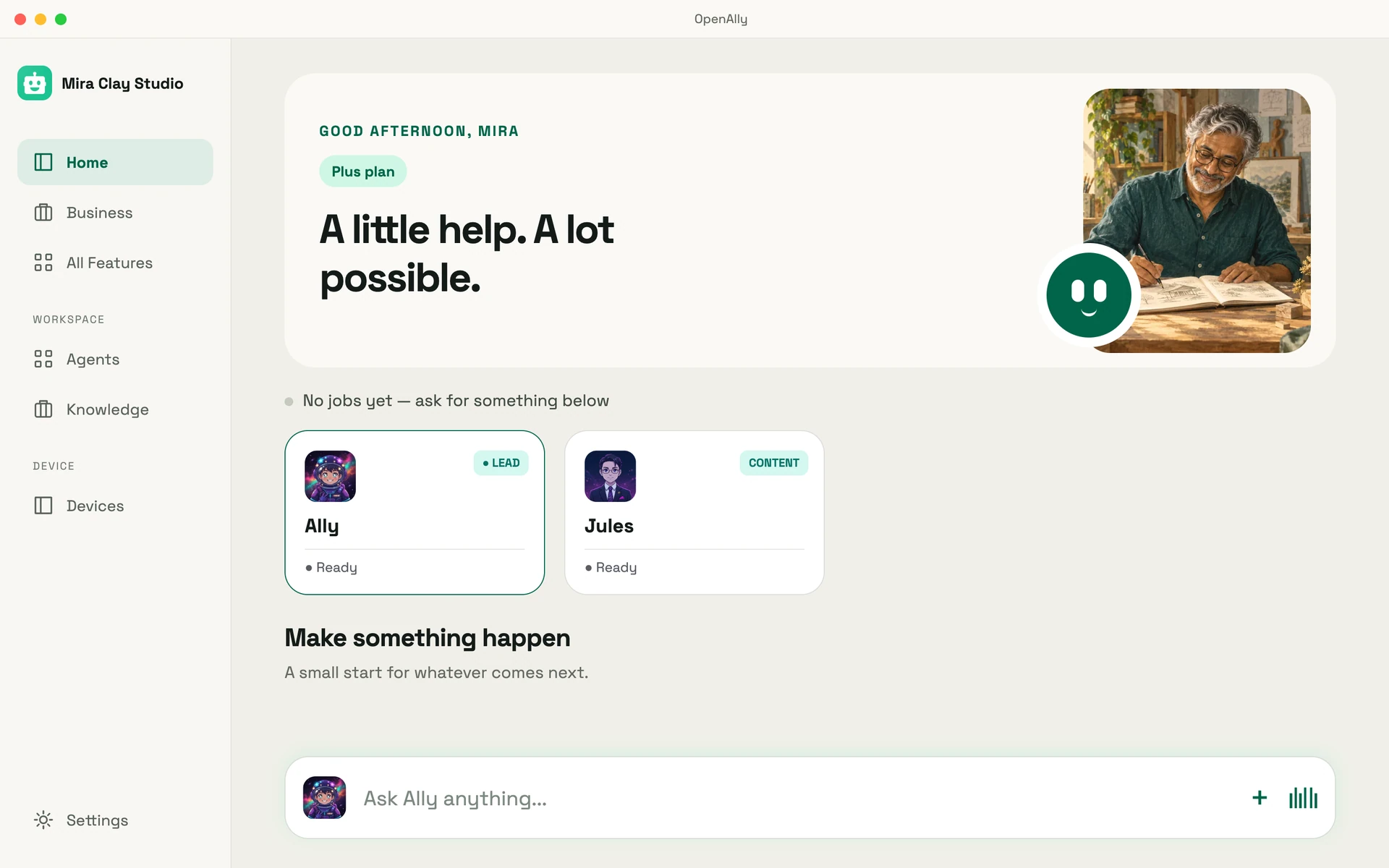
OpenAlly and FoneClaw are both mobile AI agents, but they start from different jobs. FoneClaw centres on asking an Android phone to carry out supported actions. OpenAlly centres on helping an individual or business run work across mobile and Mac, with Android screen control available through the separate Aster companion.
So the useful question is which product matches the work you want to do, not which has the longer feature list.
01 / Decision
Short answer
Choose OpenAlly when you want one place for personal work and business operations: knowledge, sites and apps, customers, products, stock, orders, bookings, invoices, payment links, and focused creative tools. Its current feature catalogue spans Android and iPhone, and your account, agents, and chat history continue from the phone to the Mac app. You choose how AI requests are processed, and you can change that choice without rebuilding your work.
Choose FoneClaw when your main goal is to tell an Android phone to perform supported phone actions. Its public feature pages emphasise visible execution, phone controls, permissions, and more than 120 built-in Android tools.
If Android screen control matters inside OpenAlly, Aster adds it as an optional, separate, open-source Android companion. That feature is Android-specific; OpenAlly itself is not defined by Android.
One body of work, two useful surfaces
Continuity workbench02 / Product shape
What each product is actually built to do
OpenAlly starts with the work
OpenAlly is arranged around outcomes for individuals and businesses. You can ask questions over your own knowledge, build a site or web app, manage products and stock, turn a customer request into an order, prepare an invoice, create a payment link, or use a focused app for something useful or fun.
Those records belong to one working system rather than a collection of unrelated phone actions. A product can move through stock, sale, payment, and invoice without making you rebuild the context at every step. A customer conversation can be one way into that flow, including supported WhatsApp and Telegram connections, but the channel is not the product.
FoneClaw starts with the Android phone
FoneClaw describes itself as an Android phone agent. You speak or type a request; FoneClaw plans the steps, selects supported tools, and applies permission and approval controls according to the task and your settings. Its public feature catalogue covers device checks and settings, messages and calls, connectivity, screenshots, email, calendar, maps, web tasks, workflows, and skills.
That focus can also help a small business. FoneClaw's own business guide shows it operating the apps a business already uses for replies, posts, orders, and inventory. Its current public feature catalogue does not document a built-in product, inventory, order, invoice, or payment system of record.
03 / Scope
Before comparing: FoneClaw ships a Full APK and a Lite Play edition
FoneClaw's download page now presents two editions side by side: a Full build behind a Download Full APK button noted as Complete features, and a Lite build behind a Get Play Lite button noted as Lite features, Play updates. Its privacy policy is written for that Lite edition and explains how the Google Play edition processes information.
- The Full APK documents deeper Android actions, including screen interaction through accessibility and additional device integrations.
- The Lite edition on Google Play is defined by its own policy as one that does not use an Accessibility Service, read SMS or call logs, scan all installed apps, monitor your photo library in the background, install APK plugins, or update itself outside Google Play. It uses the Android photo picker for media you select yourself, and calls and text messages are handed off to an Android system screen for you to complete.
Rows about FoneClaw screen control below refer to the Full APK documented by its download, feature, and repository sources. Where the Lite edition is mentioned, we use only the boundary stated in its own policy, in full: the photo-library clause is part of that boundary and counts in FoneClaw's favour.
04 / Comparison
OpenAlly vs FoneClaw at a glance
| Question | OpenAlly | FoneClaw |
|---|---|---|
| What is the product centred on? | Personal work and business operations across a shared set of apps, records, agents, and AI choices. | Supported actions on an Android phone, with visible plans and permission controls. |
| What is the platform story? | Workflows span Android and iPhone. Your account, agents, and chat history continue on Mac, which is a direct download rather than a Mac App Store listing. Current install options are kept on the download page. | Its download page documents Android 9 or later. No official iPhone or Mac app is documented there. |
| Are business records built in? | Products, variants, stock, customers, orders, bookings, invoices, payment links, and payment records are part of the product. | It can operate existing business apps; its public catalogue does not document a native business system of record. |
| How does Android screen control work? | Through Aster, an optional separate open-source Android companion. App Automations are Android-specific. | It is a central capability of the Full APK. The Lite edition on Google Play has a narrower permission set. |
| Can work continue on a computer? | Yes. Your account, agents, and chat history continue on Mac, where you connect your own AI providers, assign skills and tools per agent, and connect channels and agent hooks. Remote Deck can turn a phone into a controller for approved Mac actions. | No official desktop product is documented on the reviewed public pages. |
| What model choice is offered? | 46 current provider entries, covering your own keys, supported subscriptions, your own server, supported on-device choices, and OpenAlly Cloud. | A free default model, a custom OpenAI-compatible online endpoint, or a compatible local model imported in the app. |
| Does it connect to customer conversations? | Messaging channels such as Telegram, or a personal WhatsApp account linked by QR code, can carry a selling or service workflow. They are integrations, not the centre of the product. | Official examples describe WhatsApp notification summaries alongside general Android screen control. The reviewed sources describe UI and notification automation, not a documented WhatsApp bot or channel integration. |
| Can a business answer on its own WhatsApp number? | Yes, through WhatsApp Business, a separate app that connects the business's number through Meta and is included with Premium. | Not documented. The reviewed sources describe UI and notification automation, not a WhatsApp bot or channel integration. |
| What is publicly open? | Aster is open source. OpenAlly is not presented as an open-source app. | The public repository includes documentation, skills, workflow templates, and plugin source. Its licence statement gives an MIT licence to the public documentation, skills, and workflow templates. |
| Who is it a natural fit for? | Individuals and businesses that want personal work, business records, creation, and AI choice to stay connected across devices. | People who primarily want an AI agent to carry out supported Android phone actions. |
What is the product centred on?
- OpenAlly
- Personal work and business operations across a shared set of apps, records, agents, and AI choices.
- FoneClaw
- Supported actions on an Android phone, with visible plans and permission controls.
What is the platform story?
- OpenAlly
- Workflows span Android and iPhone. Your account, agents, and chat history continue on Mac, which is a direct download rather than a Mac App Store listing. Current install options are kept on the download page.
- FoneClaw
- Its download page documents Android 9 or later. No official iPhone or Mac app is documented there.
Are business records built in?
- OpenAlly
- Products, variants, stock, customers, orders, bookings, invoices, payment links, and payment records are part of the product.
- FoneClaw
- It can operate existing business apps; its public catalogue does not document a native business system of record.
How does Android screen control work?
- OpenAlly
- Through Aster, an optional separate open-source Android companion. App Automations are Android-specific.
- FoneClaw
- It is a central capability of the Full APK. The Lite edition on Google Play has a narrower permission set.
Can work continue on a computer?
- OpenAlly
- Yes. Your account, agents, and chat history continue on Mac, where you connect your own AI providers, assign skills and tools per agent, and connect channels and agent hooks. Remote Deck can turn a phone into a controller for approved Mac actions.
- FoneClaw
- No official desktop product is documented on the reviewed public pages.
What model choice is offered?
- OpenAlly
- 46 current provider entries, covering your own keys, supported subscriptions, your own server, supported on-device choices, and OpenAlly Cloud.
- FoneClaw
- A free default model, a custom OpenAI-compatible online endpoint, or a compatible local model imported in the app.
Does it connect to customer conversations?
- OpenAlly
- Messaging channels such as Telegram, or a personal WhatsApp account linked by QR code, can carry a selling or service workflow. They are integrations, not the centre of the product.
- FoneClaw
- Official examples describe WhatsApp notification summaries alongside general Android screen control. The reviewed sources describe UI and notification automation, not a documented WhatsApp bot or channel integration.
Can a business answer on its own WhatsApp number?
- OpenAlly
- Yes, through WhatsApp Business, a separate app that connects the business's number through Meta and is included with Premium.
- FoneClaw
- Not documented. The reviewed sources describe UI and notification automation, not a WhatsApp bot or channel integration.
What is publicly open?
- OpenAlly
- Aster is open source. OpenAlly is not presented as an open-source app.
- FoneClaw
- The public repository includes documentation, skills, workflow templates, and plugin source. Its licence statement gives an MIT licence to the public documentation, skills, and workflow templates.
Who is it a natural fit for?
- OpenAlly
- Individuals and businesses that want personal work, business records, creation, and AI choice to stay connected across devices.
- FoneClaw
- People who primarily want an AI agent to carry out supported Android phone actions.
05 / Workflows
Three workflows that reveal the difference
1. Running a small business from the same place you talk to customers
Suppose a customer asks for a product in a supported chat. In OpenAlly, that request can become a quote, an order that reserves stock, a payment link or cash-on-delivery choice, and an invoice or receipt. The owner enables the Sales skill and decides which shop and actions the agent may use.
What matters is that products, stock, orders, payments, and invoices remain connected after the conversation moves on, whether the request arrived through WhatsApp, Telegram, or anywhere else.
The practical guide to an AI agent for small business follows that journey from Google discovery and WhatsApp enquiry through booking, payment, invoice, review, and repeat business.
From product to paid order
Business workbenchOne connected sale
- 01ProductCatalogued
- 02StockReserved
- 03OrderConfirmed
- 04PaymentOwner controlled
- 05InvoiceReady to share
FoneClaw can help operate the Android apps a business already uses. That is useful when the job is navigating those apps. OpenAlly is designed for the second case: keeping business records and their relationships together.
2. Starting on mobile and continuing on Mac
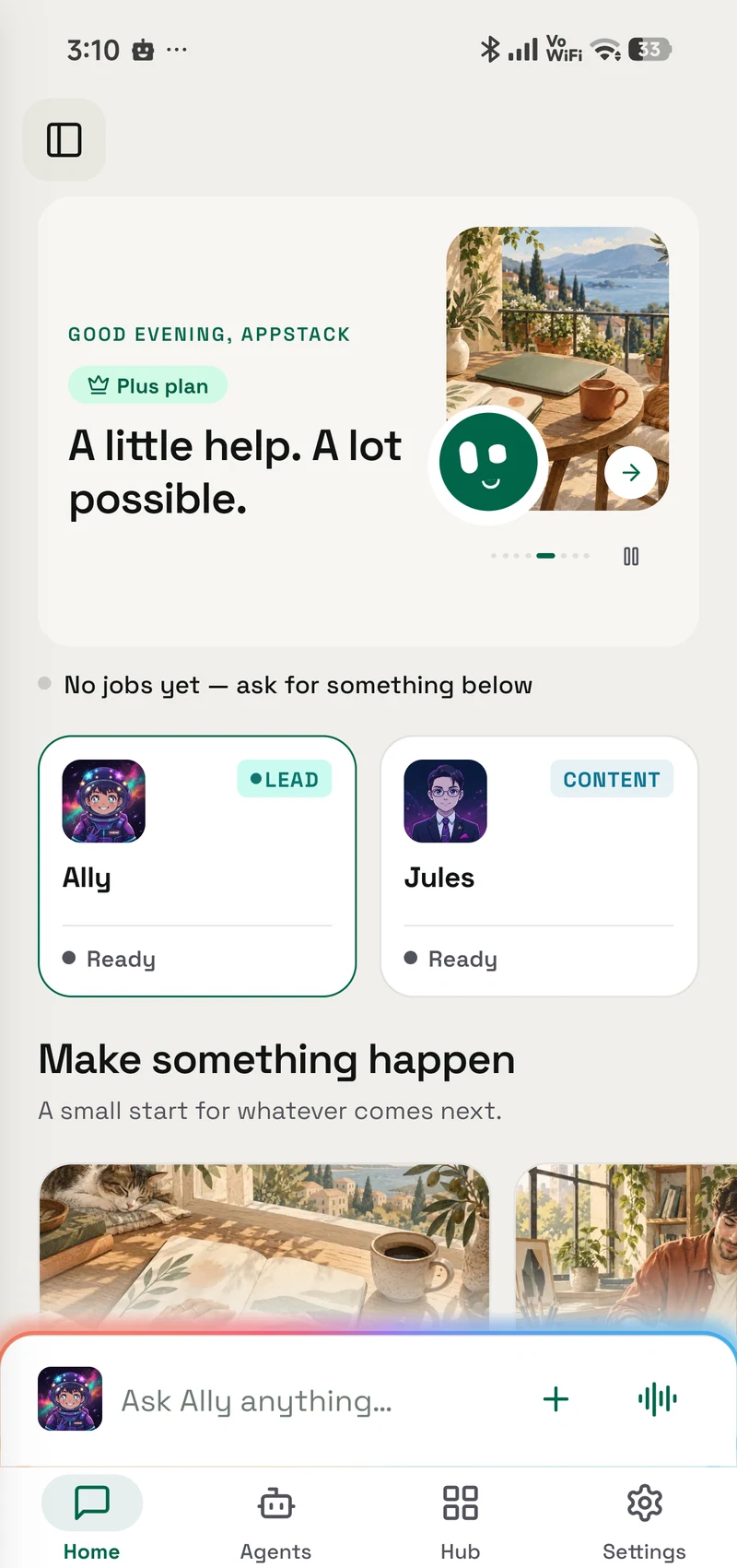
OpenAlly treats mobile and Mac as different views of the same work. Your account, agents, and chat history continue from the phone to the Mac app, so a request captured while moving can be finished with more room at a desk.
What the Mac surface gives an agent, as the Mac download page and the trust and control guide describe it:
- Your own AI providers, with the model chosen for each agent, or a model running locally.
- Skills and tools assigned per agent, with a review of what each one is allowed to do.
- Channels and agent hooks, so an agent can act on incoming messages and events.
Android screen control does not travel. App Automations reach the screen through the separate Aster companion, so they stay scoped to the Android device that has Aster installed. What continues to the Mac is the account, the agents, and the chat history, without the screen permissions.
The Mac app is also a direct download from OpenAlly rather than a Mac App Store listing.
Remote Deck adds a focused version of that relationship: the phone becomes a custom control deck for actions the Mac has approved.
FoneClaw's current public product is built around the Android handset itself. Its download page is headed Download FoneClaw for Android, and the reviewed pages document no iPhone or desktop product. If that handset is where the task begins and ends, its tighter centre may be exactly what you want.
3. Asking Android to use an app for you
This is where the products overlap most clearly. FoneClaw's Full APK makes Android phone operation part of its core; its official scenario guide and security guide explain that boundary. OpenAlly handles that job through Aster and Android-specific App Automations.
Aster is deliberately separate. It asks for its own permissions, can be stopped independently, and keeps Android screen access out of the OpenAlly product boundary on iPhone and Mac. That is harder to put in a slogan and easier to weigh when you are deciding what access to grant.
Android screen control stays a separate choice
Android + Aster workbenchAndroid-specific, by design
- Separate companionOpenAlly stays cross-platform
- Permission by choiceYou decide what it may use
- Visible stopEnd the action from the screen
- Open sourceInspect Aster separately

06 / Choice
Model choice and privacy: follow the request path
Neither product can be described accurately with one blanket word such as local or cloud.
With OpenAlly, working messages and knowledge are stored on the device, while business records and the notes in the Notes app are kept in your OpenAlly account. A request using your own provider key goes directly to that provider. A supported on-device route avoids a remote model; our dated field notes on running Gemma 4 on Android show what that route costs in context budget and first-response time. An OpenAlly Cloud request is processed by the OpenAlly service. A connected service receives the information needed for the action you requested. The public trust and control guide explains the choices, and the privacy policy carries the full disclosure.
The practical advantage is choice without lock-in. OpenAlly's public catalogue contains 46 current provider entries across provider keys, supported subscriptions, your own server, on-device choices, and OpenAlly Cloud. Changing the model route does not require rebuilding your agents, apps, or business records.
FoneClaw offers a free default model, a custom online model through an OpenAI-compatible address and key, and compatible local models imported through its in-app Hugging Face path. Its current privacy policy is written for FoneClaw Lite and explains how the Google Play edition processes information. That policy says some databases, settings, recordings, and downloaded local models remain on the device, while online AI, attachments, transcription, speech, feedback, email, web, and related features can use network services involving FoneClaw's service, the selected model provider, or other named processors. FoneClaw's security guide separately says the AI model may be cloud-hosted and receives conversation text, action requests, and the results needed for the task; the reviewed sources do not establish that every Lite edition processor or retention rule also applies to the Full APK.
Choose the route that fits the job
Model choice workbench
Change the route, not the work
- On deviceFor supported local work
- Your provider keyDirect to your choice
- Your subscriptionUse a supported account
- Your own serverUse a compatible address
- OpenAlly CloudChoose the hosted route
07 / Focused apps
OpenAlly includes focused apps beyond chat
OpenAlly's broader shape also shows up in focused apps that open as their own screen. Each one below is a current entry in the public app catalogue, and the platform support given for it is the support that catalogue listed on 25 August 2026. App Builder helps create, edit, and preview websites and web apps across Android, iPhone, and Mac. Vibe Pages turns a mood into a shareable page with a background, fonts, and a playlist, across Android, iPhone, and Mac. Slap turns a tap or shake into a playful reaction across the same three platforms. Remote Deck turns Android or iPhone into a foreground controller for actions approved on a Mac.
Focused tools, one connected workspace
Focused app collectionApp Builder
Create, edit and preview websites and web apps.
- Android — supported
- iPhone — supported
- Mac — supported
Vibe Pages
Shape and publish a page around a mood or idea.
- Android — supported
- iPhone — supported
- Mac — supported
Remote Deck
Use your phone as a control deck for approved Mac actions.
- Android — supported
- iPhone — supported
- Mac — supported
Slap
Turn a tap or shake into a playful reaction.
- Android — supported
- iPhone — supported
- Mac — supported
Web to App, which joined the app catalogue after that 25 August review, sits beside them: it turns a website you run into a signed Android app, built on an Android phone or a Mac. You install it, share it, or upload it to your own Google Play listing.
None of this argues that everyone needs more features. It shows where the product's centre sits: useful work, business, and creative ideas can become focused experiences while OpenAlly stays useful across its mobile and Mac surfaces.
08 / Fit
Which one fits you?
Choose OpenAlly if most of these sound like your day:
- You want one assistant for personal work and running a business.
- Products, inventory, orders, bookings, invoices, and payments need to stay connected.
- You start from mobile but want the same work available on Mac.
- You want to choose among many AI providers and processing routes without rebuilding everything.
- You want Android screen control as an optional companion capability, not the definition of the whole platform.
Choose FoneClaw if most of these sound closer:
- Your main target is an Android phone.
- You want spoken or typed requests to become visible, supported phone actions.
- You prefer a large catalogue of Android device tools and workflows.
- Your business information already lives in other Android apps and operating those apps is the main job.
OpenAlly is the more natural choice for an individual or business that wants connected work across mobile and Mac. FoneClaw is the more direct choice for someone whose centre of gravity is Android phone operation. If the work outlives the conversation that started it, as a customer, an order, a payment, or a published site does, choose OpenAlly. If the job starts and finishes on the handset in your hand, choose FoneClaw. Running both is a legitimate answer, and its honest cost is two permission boundaries to keep track of instead of one.
If direct Android control is your main comparison point, also read OpenAlly vs CellClaw for a second evidence-led look at where phone operation ends and connected work begins.
09 / Method
How this comparison was made
We reviewed FoneClaw's official homepage, features, download page, privacy policy for its Lite edition on Google Play, public repository, scenario documentation, security documentation, and small-business guide on 17 August 2026, and rechecked the download page and privacy policy on 25 August 2026. We kept capability and privacy statements scoped to the edition each source describes, and used stable wording such as more than 120 tools because FoneClaw's own pages give a rounded figure rather than an exact count.
For OpenAlly, we checked the current product catalogue and source-verified release evidence for business records, sales, payments, invoicing, App Builder, Vibe Pages, Slap, Remote Deck, provider choice, privacy controls, and Aster. The comparison includes only features verified for current public use. Mac statements come from the current Mac download page and are limited to capabilities that hold from one release to the next, which is why no version number, file size, or release date appears in this article. The WhatsApp Business, Premium and Web to App lines were added on 10 September 2026 from their product pages.
Products change, so the review date and the official source links below are part of the comparison.
10 / Questions
Frequently asked questions
Is OpenAlly a FoneClaw alternative?
Yes, if you are comparing mobile AI agents. It is not a like-for-like replacement. OpenAlly centres on personal and business work across mobile and Mac; FoneClaw centres on supported Android phone actions.
Which is better for inventory, orders, and invoices?
OpenAlly has built-in products, stock, customers, orders, bookings, invoices, payment links, and payment records. FoneClaw can operate existing Android business apps, but its current public catalogue does not document an equivalent built-in system of record.
Does FoneClaw support iPhone or Mac?
No iPhone or Mac product is documented on the public pages reviewed for this article, and its download page documents Android 9 or later. That is a statement about the current public material, not a prediction about FoneClaw's future. OpenAlly answers the question differently: your account, agents, and chat history continue from the phone to the Mac app, which is a direct download rather than a Mac App Store listing.
Can OpenAlly automate Android apps?
Yes. Android screen control and App Automations use Aster, an optional separate open-source Android companion. Those capabilities are Android-specific; the rest of OpenAlly is not.
Is FoneClaw open source?
FoneClaw publishes a public repository. Its own licence statement covers the public documentation, Skills, and Workflow templates; the repository also contains plugin source. The reviewed materials do not establish that the entire shipped Android app is open source.
Can OpenAlly help sell on WhatsApp?
Yes. With the Sales skill enabled and the right shop permissions, a supported customer conversation can lead to a quote, stock reservation, order, payment link or cash-on-delivery choice, and invoice. The WhatsApp channel, which links a personal account by QR code, is one integration surface for that workflow, not the whole product. For a business's own number, WhatsApp Business is a separate app: it connects through Meta and is included with Premium; Meta bills its message charges to the business directly, and billable AI messages wait for the owner's approval by default.
Is all AI processing local in either product?
No blanket claim is accurate. Both products can keep some work on the device and can also use network services, depending on the model, feature, and, for FoneClaw, the edition. Check the chosen route, edition, and current privacy documentation for the specific job.
Sources and references
These public pages support the product facts, technical specifications, background, and reference measurements in this article. Details were checked on the review date shown above.
Read us on your terms
Google lets you name the sites you want to hear from. Add OpenAlly and these articles surface more often in your own Search results — your preference, revocable from the same screen, and it changes nothing for anyone else.