App Builder
Tell it what you need. Watch the app take shape.
Describe a website or a small app in your own words, or start from a template. App Builder writes it and builds it on your phone or Mac, and you keep changing it by asking.
- Android — supported
- iPhone — supported
- Mac — supported
This is the app you open yourself. Your agent does the same work with the App Builder skill.

Inside the real app
Explore the screens in a demonstration workspace.
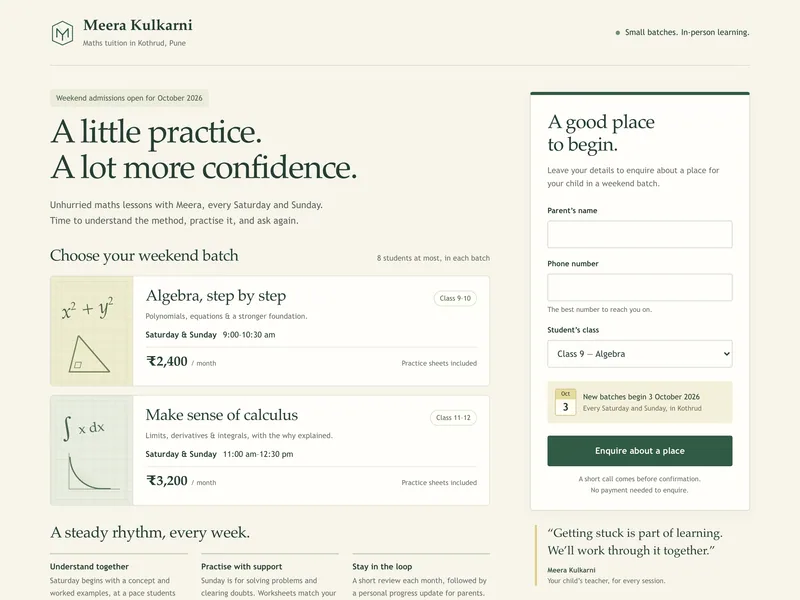
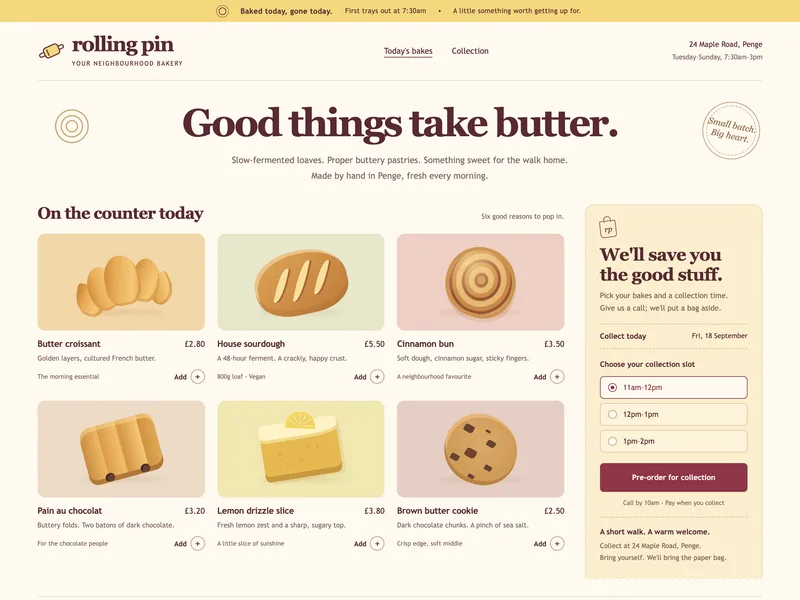
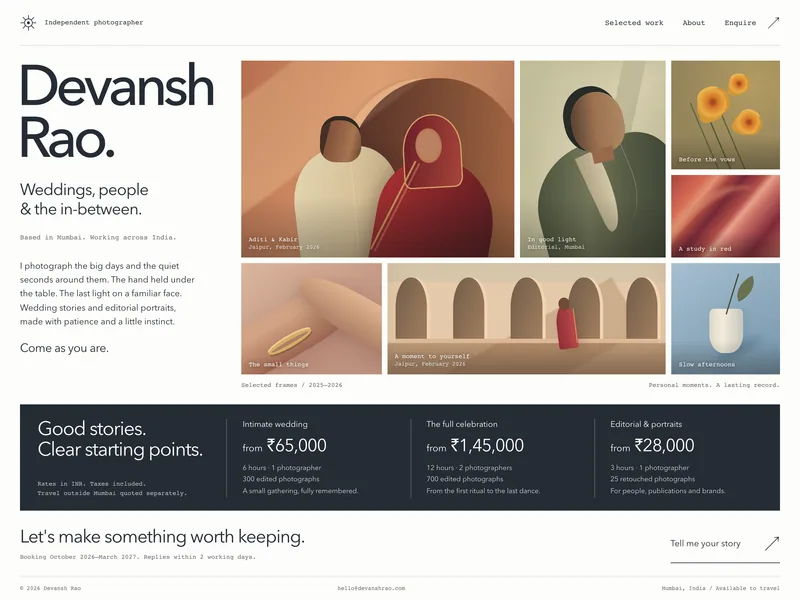
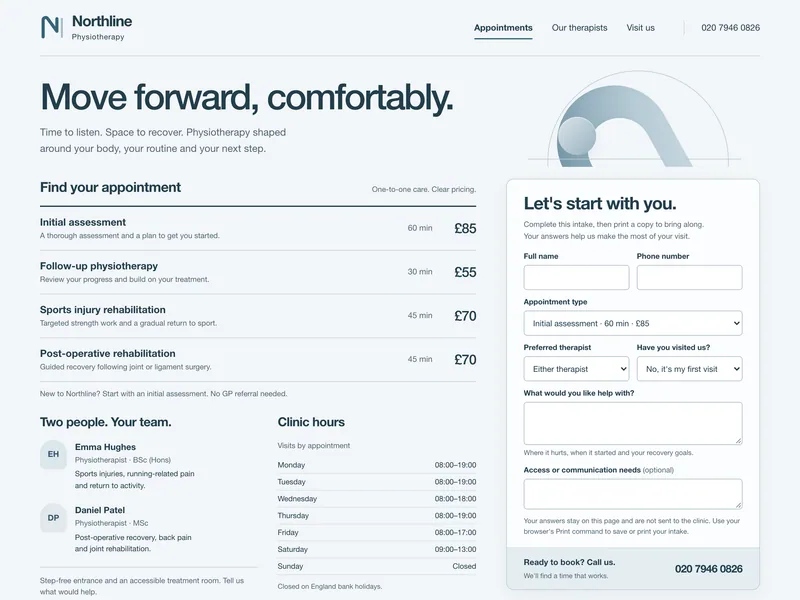
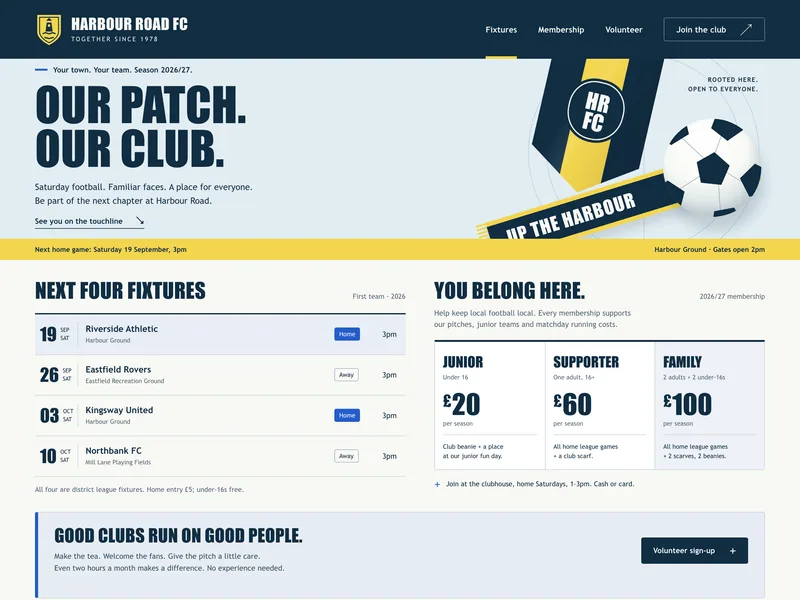
Five pages it made, from one description each
Artwork, not app screenshots. Each one carries where it came from.
A tuition booking page: a serif headline, two weekend batch cards with timings and monthly fees, and an enquiry form in a panel on the right. A bakery menu page: a baked-today strip across the top, six priced items drawn as warm colour blocks, and a row of collection slots. A photographer's portfolio page: the name set large at the top left, a dense asymmetric grid of frames beside it, and a band of three rate packages. A physiotherapy appointments page: four services with session length and price, two therapist profiles, an opening-hours table, and an intake form. A football club page: a dark navy header band, the next four fixtures listed with dates and opponents, three membership tiers, and a volunteer sign-up.
What it does
From a sentence to something customers can open.
Pick how to begin: describe what you want, install a template, or start from the records you already keep in Business. Preview the result on your device, ask for changes, and share it when it looks right.
Start with your own words
Say what the page or app is for and who will use it. You review the brief before anything is built.
Or start from a template
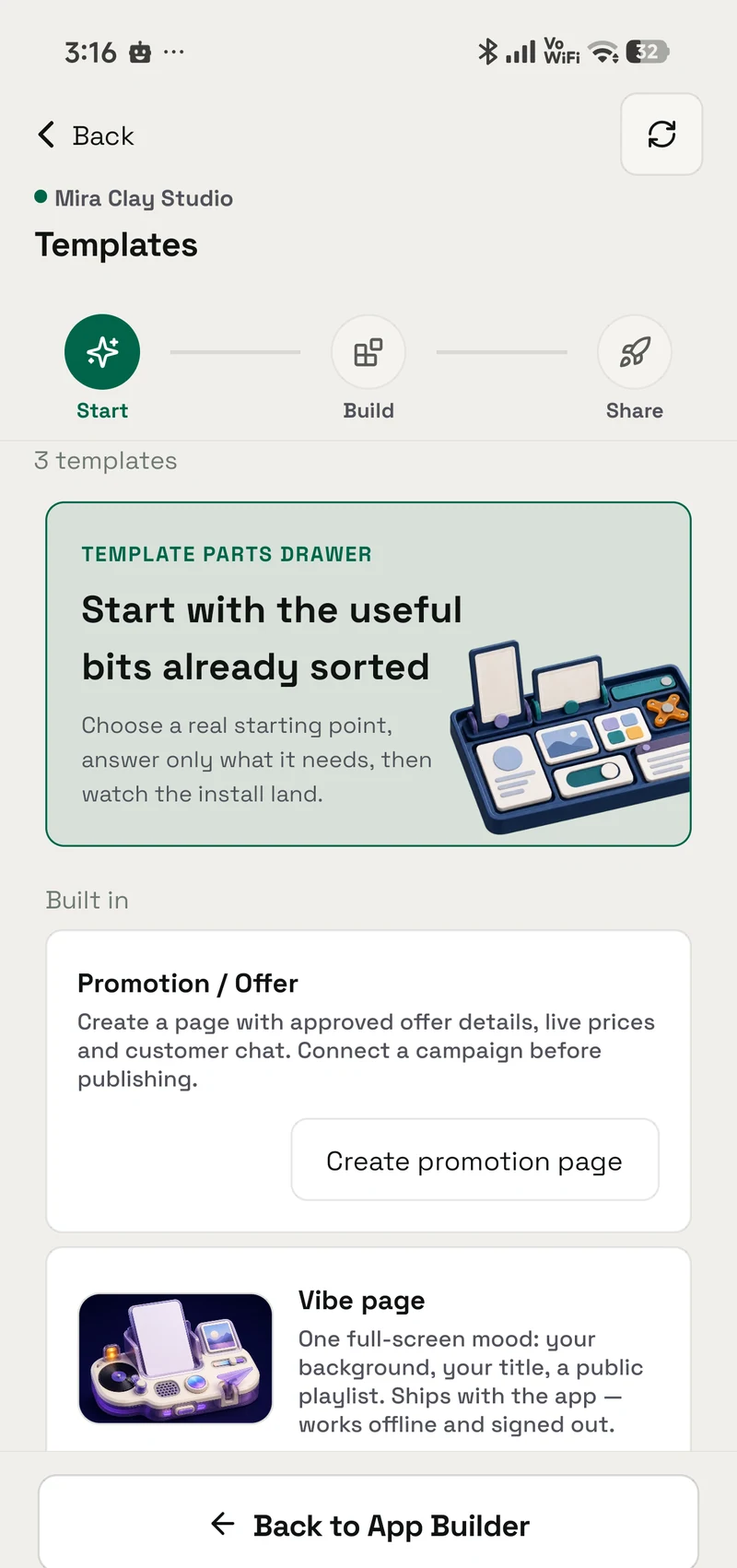
A promotion page with approved offer details and live prices, or a full-screen Vibe page. Answer only what the template needs, then watch it install.
Built on the records you keep
A template asks for the records it needs, such as an inventory, an outlet or a payment account, and you pick each one from what Business already holds.
Preview before anyone sees it
The app runs on your device while you work. Ask for a change, look again, and share only when you are happy with it.
Interactive walkthrough
A bakery page, from one sentence.
Follow Asha’s sample bakery from a description to a page she can share. These are example details, not a live site.
Step 1 of 4
Start with what the page is for.
Asha opens App Builder and says what she wants: a page for the bakery with today’s bakes and the opening hours.
Example brief
New app
- Start
- Describe an app
- For
- Asha’s bakery
- Shows
- Today’s bakes and hours
“A page for my bakery with today’s bakes and our opening hours.”
Setup
Get started.
Set up the parts you need, then work directly in the app or bring in an agent.
Read how one sentence became an app- 01
Choose how to begin
Describe what you want, install a template, or start from the records you already keep in Business.
- 02
Preview and refine
Open the preview on your device and ask for changes until it reads the way you want.
- 03
Share when it is ready
Publish from your own phone or Mac for free, or use a plan’s hosted address to keep it online when the device is off.
Example requests
Ask your agent.
“Create a simple website for my bakery with the menu and opening hours.”
“Build me a small web app that tracks my daily orders.”
“Suggest a design style for a page about my studio.”
Frequently asked questions
Before you start.
Do I need to know how to code?
No. You describe what you want in your own words and App Builder writes the app. You keep changing it by asking.
Where is the app built?
On your own phone or Mac. It runs there while you preview it and ask for changes.
Is publishing free?
Yes. Free publishing serves the app from your own Android phone or Mac, so it is online while that device is serving it and not around the clock. A plan adds a hosted address that keeps it up when the device is off.
Can an app use my products and prices?
Yes. Install a template and choose the records it should use from what you already keep in Business: an inventory, an outlet or a payment account, and the booking, payment or restaurant rules it needs.
Can I start from a template instead of a description?
Yes. Templates include a promotion page with approved offer details and live prices, and a full-screen Vibe page. You answer only what the template needs.
Android, iPhone and Mac