Business
Know what’s in stock. Get back to your customers.
Products, stock, prices and taxes in one place. Work directly in your catalogue, or ask your agent to help with the everyday changes.
- Android — supported
- iPhone — supported
- Mac — supported

Inside the real app
Explore the screens in a demonstration workspace.
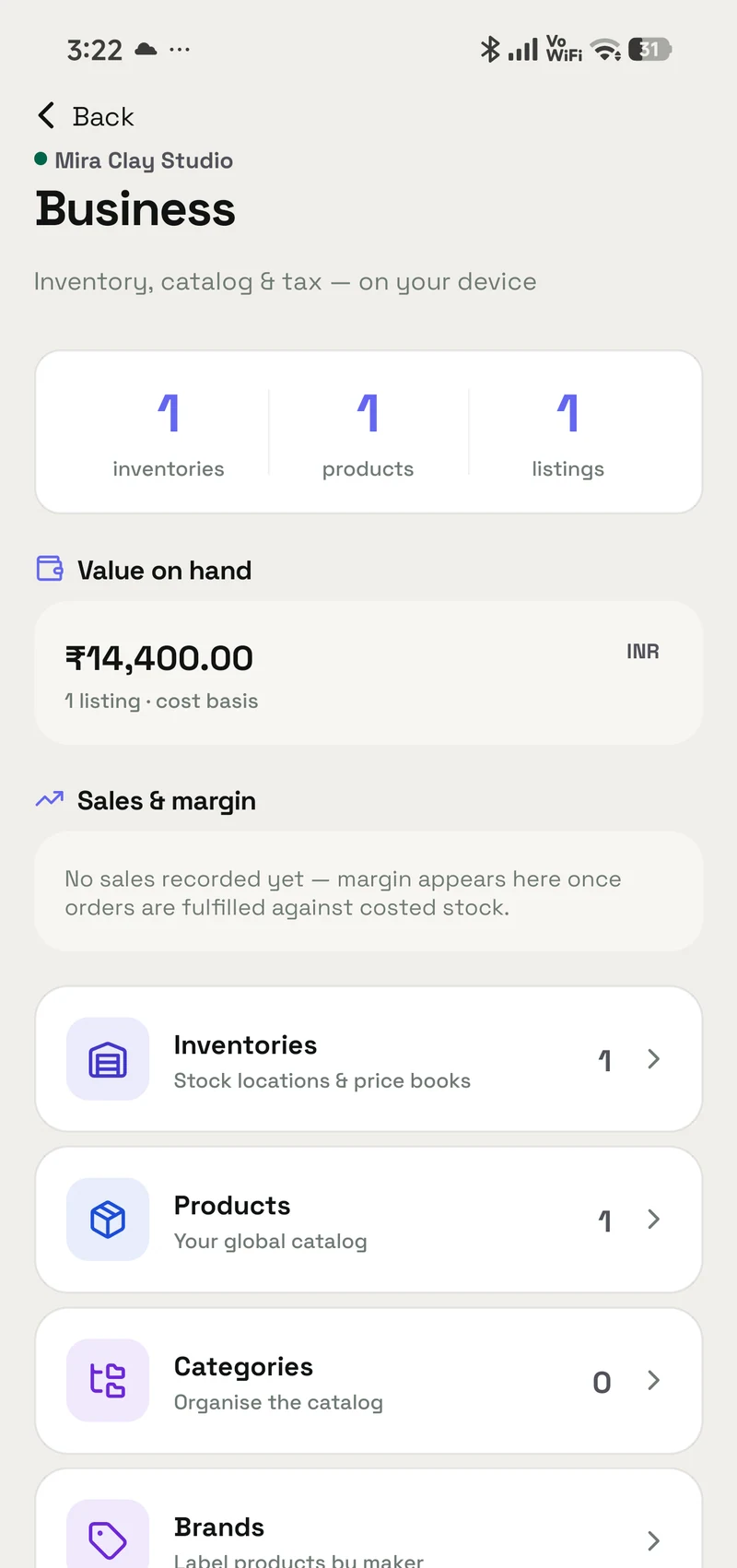
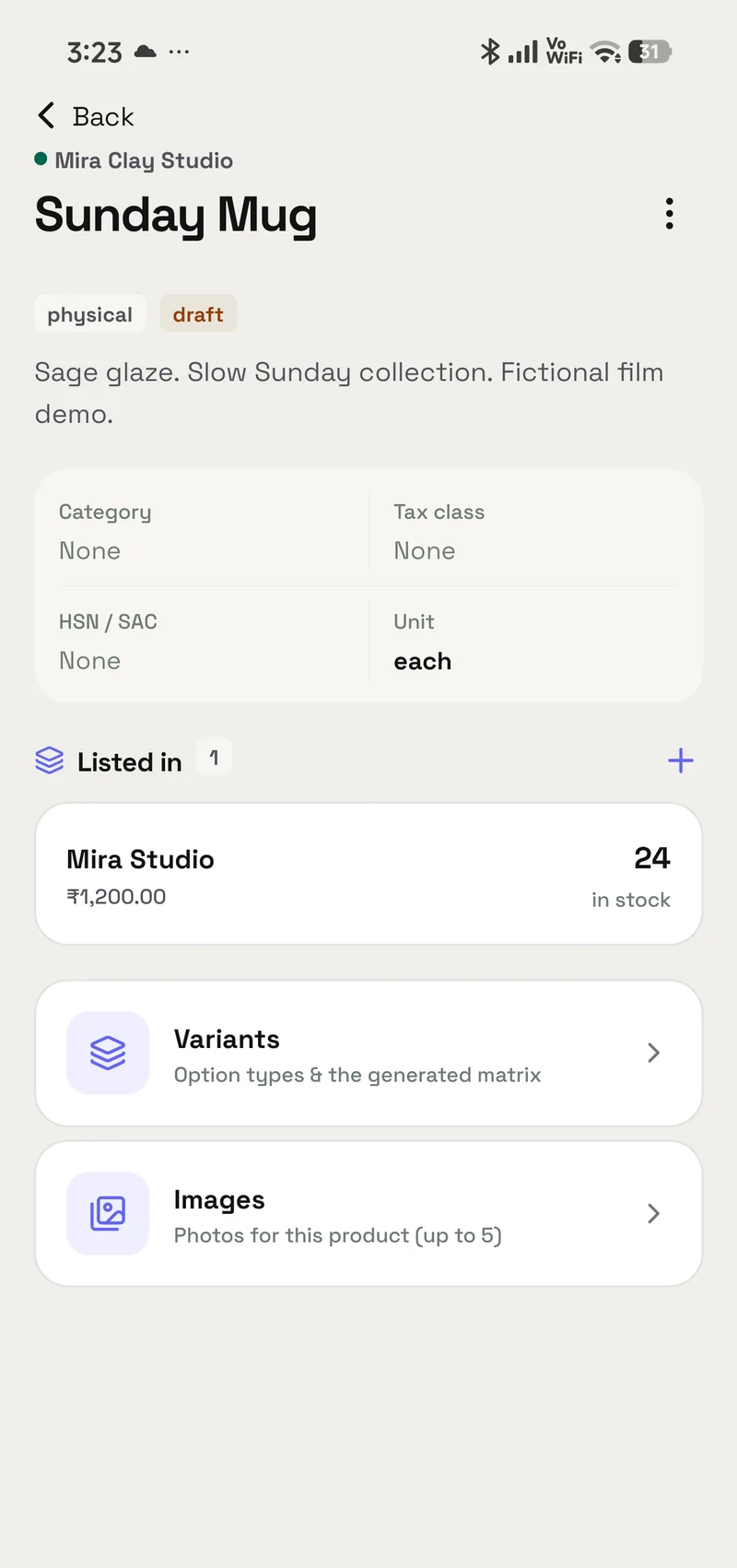
What it does
One place for the details a shop runs on.
Keep products, variants, prices and tax settings in a single catalogue in your OpenAlly account. Update stock yourself or let an agent work with the inventories you have shared with it.
A catalogue you can actually use
Keep products, variants, prices and quantities together. Find the item you need, then edit it directly or describe the change to your agent.
A clearer picture of stock
Review what is available and update quantities when a delivery arrives. Keep the count with the product instead of spreading it across messages.
Tax settings stay with the work
Keep GST settings, inclusive or exclusive prices, and tax summaries alongside your inventory. Choose the applicable rates for your business.
Give a helper the right access
Grant Business to an agent and choose the inventories it can use. Your agent can help with the records; deleting an inventory stays owner-only.
Interactive walkthrough
A restock, without losing the thread.
Follow Arjun’s sample ceramics shop from a low stock count to a refreshed catalogue. These are example records, not live inventory.
Step 1 of 4
Start with what is on the shelf.
Arjun opens Business before a busy weekend. The cups need attention; the bowls and pitchers are already stocked.
Example inventory
Arjun’s ceramics
- Indigo cupNeeds a restock
- 4 in stock
- Breakfast bowl
- 18 in stock
- Terracotta pitcher
- 12 in stock
A product, its price and its quantity live together.
Setup
Get started.
Set up the parts you need, then work directly in the app or bring in an agent.
Read the inventory and GST guide- 01
Create your inventory
Choose a currency for the inventory and add the products, prices and opening quantities you want to manage.
- 02
Set the tax treatment
Configure the GST settings and whether prices include tax. Keep these choices aligned with how your business actually sells.
- 03
Bring in an agent
Grant the Business skill and access to the relevant inventory. Add Sales, Payments, Invoicing or Shipping when the role calls for them.
Example requests
Ask your agent.
“Show the products in my shop inventory.”
“Add 20 indigo cups to my stock.”
“Summarise the tax records for this inventory.”
Frequently asked questions
Before you start.
Can I use Business without asking an agent?
Yes. Business has its own screens for products, quantities, pricing and taxes. The matching skill lets an authorised agent help with those records.
Does every agent get access to my stock?
No. Choose the Business skill and the inventories the agent may use. A helper for personal notes does not need access to the shop.
Can an agent delete an inventory?
Inventory deletion is owner-only. Normal product and stock work follows the access you grant.
How does this connect to getting paid and shipping?
Business supplies the product and inventory context. Sales and Payments cover the order and money; Shipping can arrange the courier and follow delivery. Grant each capability deliberately.
Android, iPhone and Mac