 OpenAlly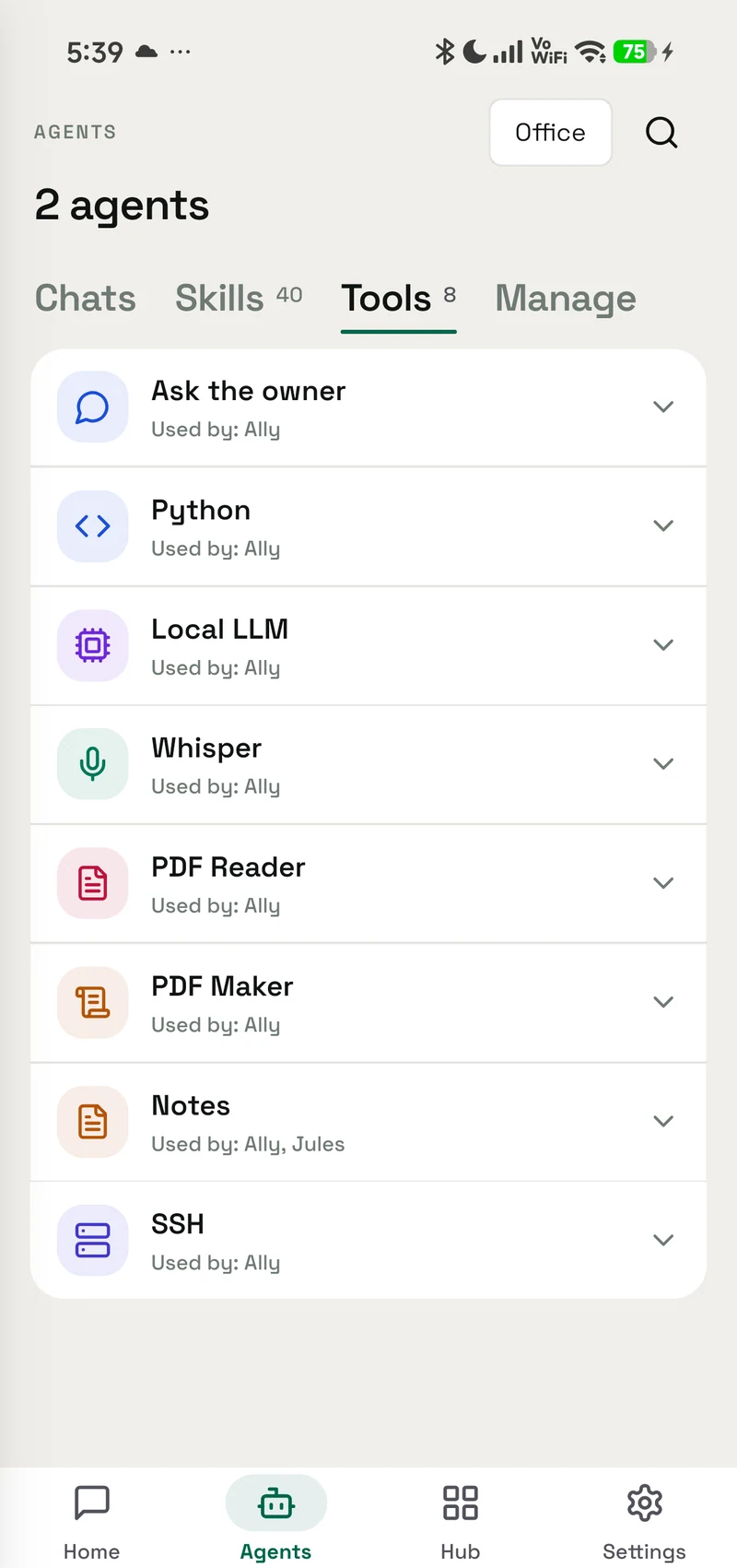
OpenAlly is the stronger overall choice for most people and businesses comparing Android AI agents. CellClaw has a sharp strength: it is built to operate one Android phone through chat, an overlay, notifications, a Quick Settings tile, voice, and device tools. OpenAlly can also put Android screen actions to work through Aster, then goes much further: personal knowledge, customer conversations, products, stock, orders, bookings, payment links, invoices, websites, apps, broader AI choice, iPhone, and Mac.
The two products have different centres of gravity. CellClaw is built to operate an Android phone; OpenAlly is built to operate the work around it. If you want the broader agent system, OpenAlly wins.
Verdict
Who each product suits
Choose OpenAlly when your goal extends beyond opening apps and tapping through screens. It connects conversations to personal knowledge and durable work: a customer, a product, a booking, an order, a payment, an invoice, a website, or an app. That work can continue across Android, iPhone, and Mac, while Android screen control remains an optional capability through Aster.
Choose CellClaw when the job begins and ends on one Android phone and you value direct access from a floating overlay, notification reply, Quick Settings, or wake word. CellClaw's official product page describes an autonomous Android agent with SMS, calls, contacts, calendar, camera, files, sensors, notifications, screen reading, and app control.
That is a capable phone agent, and a narrower product definition than OpenAlly's.
OpenAlly has another practical advantage: its Android app is a normal Google Play install from the download page. CellClaw's official site still tells readers to clone and build it from GitHub, and both the repository it links and the licence file linked beside it returned a public 404 when we rechecked on 25 August 2026. That site's footer now points readers who would rather skip the key setup to CellBreak, described on CellClaw's own page as giving “the full CellClaw experience with optional managed credits”, with no keys required. CellBreak's own site did not return a readable page to us during this review, so this article repeats only what CellClaw publishes about it. None of this is our main argument, but it matters to somebody deciding what they can install and use today.
From controlling the phone to completing the work
Work beyond the phone- Request arrivesOne of five marketed interactions
- Reasoning is routedThrough a selected provider route
- Android access is usedAccessibility, overlay or notifications
- The app is operatedThe Android phone remains the surface
- EnquiryBlue linen shirt · M
- StockSize M available
- Order#OA-1042
- PaymentLink ready
- InvoiceNumbered record
The enquiry, stock change, order, payment and invoice remain part of the same business record.
Product centre
Two products, two finish lines
CellClaw finishes at the screen
CellClaw gives the Android phone an agent that can see the screen, select an action, and keep working until the phone task is complete. Its published feature list covers SMS, calls, email, contacts, calendars, app launching, screen capture, cross-app messaging, files, clipboard, camera, location, browser actions, notifications, schedules, and memory.
It also offers five useful ways to reach the agent: the main chat, a floating overlay, a notification reply, a Quick Settings tile, and a wake word. For someone who wants fast access to device control without changing surfaces, this is CellClaw's strongest case.
OpenAlly finishes at the completed work
OpenAlly's feature catalogue begins with what a person or business is trying to finish. The agent can work over personal knowledge, build a site or web app, manage a catalogue and stock, remember customers, coordinate bookings, create orders, send payment links, issue invoices, answer customers on a WhatsApp Business number through Meta, and use focused tools for useful or fun projects.
Android control belongs inside that larger system rather than bounding it. A screen action can help obtain information or operate an app, while OpenAlly keeps the resulting work connected to the records, approvals, and next steps that matter afterwards.
Decision test
Seven jobs and who finishes them
A raw tool count is a weak way to compare agents. A tool can tap a button without knowing what business event the tap should create. These seven jobs expose more of the product.
| Job | OpenAlly | CellClaw | Stronger fit |
|---|---|---|---|
| 1. Hold a useful conversation and remember context | Personal agents work with conversations, files, knowledge, tasks, and the apps assigned to them. | Stores conversations and memory facts locally and recalls them across sessions. | OpenAlly for a broader personal workspace; both provide persistent context. |
| 2. Operate an Android app | Sends approved Android screen tasks to the separate Aster companion. | Makes screen reading, taps, typing, swipes, app launching, overlays, and notification actions central to the Android app. | CellClaw for direct one-app convenience; OpenAlly for the clearer permission separation. |
| 3. Turn a customer message into a sale | Connects supported conversations to catalogue, stock, customer, order, payment, and invoice work. | Can open, read, and reply in messaging apps; its public material does not document a connected sales system of record. | OpenAlly. |
| 4. Run everyday business operations | Includes customer, product, inventory, booking, order, payment, and invoice workflows, plus WhatsApp Business on the business's own number. | Publishes phone tools for messages, email, contacts, calendar, files, and app operation. | OpenAlly. |
| 5. Choose how AI is provided | Offers a broad catalogue across your own provider keys, supported subscriptions, your own server, on-device choices, and OpenAlly Cloud. | Publishes four provider routes: Anthropic, OpenAI, Google Gemini, and OpenRouter, plus a footer pointer to CellBreak for “optional managed credits” with no keys required. | OpenAlly for provider and deployment breadth. |
| 6. Continue the work on a computer | The same account, agents, and chat history continue from Android or iPhone to the Mac app, where you choose the model per agent and assign the skills and tools each agent may use. | CellClaw's reviewed public product material documents Android. | OpenAlly. |
| 7. Extend and repeat the work | Agents, skills, apps, channels, schedules, and automations share the same working context. | Supports scheduled tasks, a long-running heartbeat, and reusable Markdown skills triggered by keywords. | OpenAlly for breadth; CellClaw remains useful for repeated phone tasks. |
1. Hold a useful conversation and remember context
- OpenAlly
- Personal agents work with conversations, files, knowledge, tasks, and the apps assigned to them.
- CellClaw
- Stores conversations and memory facts locally and recalls them across sessions.
- Stronger fit
- OpenAlly for a broader personal workspace; both provide persistent context.
2. Operate an Android app
- OpenAlly
- Sends approved Android screen tasks to the separate Aster companion.
- CellClaw
- Makes screen reading, taps, typing, swipes, app launching, overlays, and notification actions central to the Android app.
- Stronger fit
- CellClaw for direct one-app convenience; OpenAlly for the clearer permission separation.
3. Turn a customer message into a sale
- OpenAlly
- Connects supported conversations to catalogue, stock, customer, order, payment, and invoice work.
- CellClaw
- Can open, read, and reply in messaging apps; its public material does not document a connected sales system of record.
- Stronger fit
- OpenAlly.
4. Run everyday business operations
- OpenAlly
- Includes customer, product, inventory, booking, order, payment, and invoice workflows, plus WhatsApp Business on the business's own number.
- CellClaw
- Publishes phone tools for messages, email, contacts, calendar, files, and app operation.
- Stronger fit
- OpenAlly.
5. Choose how AI is provided
- OpenAlly
- Offers a broad catalogue across your own provider keys, supported subscriptions, your own server, on-device choices, and OpenAlly Cloud.
- CellClaw
- Publishes four provider routes: Anthropic, OpenAI, Google Gemini, and OpenRouter, plus a footer pointer to CellBreak for “optional managed credits” with no keys required.
- Stronger fit
- OpenAlly for provider and deployment breadth.
6. Continue the work on a computer
- OpenAlly
- The same account, agents, and chat history continue from Android or iPhone to the Mac app, where you choose the model per agent and assign the skills and tools each agent may use.
- CellClaw
- CellClaw's reviewed public product material documents Android.
- Stronger fit
- OpenAlly.
7. Extend and repeat the work
- OpenAlly
- Agents, skills, apps, channels, schedules, and automations share the same working context.
- CellClaw
- Supports scheduled tasks, a long-running heartbeat, and reusable Markdown skills triggered by keywords.
- Stronger fit
- OpenAlly for breadth; CellClaw remains useful for repeated phone tasks.
Across the seven jobs, CellClaw is most compelling when direct Android operation is the destination. OpenAlly is stronger when Android operation is one step in a larger piece of personal or business work.
Seven jobs, two different centres
Seven-job decision board- Act on an Android appCellClaw33 marketed Android toolsOpenAllyAster + reusable App Automations
- Start hands-freeCellClawLocal wake wordOpenAllyMulti-turn voice and voice-note flows
- Sell from a customer messageCellClawOperates the Android app surfaceOpenAllyChat → stock → order → payment → invoice
- Keep business records connectedCellClawOperates the apps holding the recordsOpenAllyProducts, stock, bookings, orders and invoices
- Choose AI for each agentCellClawFour marketed provider routesOpenAlly46 catalogue entries and per-agent choice
- Keep a supported request on-deviceCellClawWake word is local; reasoning uses a provider routeOpenAllySupported on-device and self-hosted model routes
- Continue beyond one phoneCellClawAndroid-only published surfaceOpenAllyAndroid, iPhone and Mac product scope
Customer outcome
One customer message shows what “more” really means
What follows is a worked example rather than a measurement: one message, traced through both products using only what each one's public material documents. Consider a small clothing shop. A customer sends a WhatsApp message:
“Do you have the blue linen shirt in medium? I can pay now if it arrives tomorrow.”
CellClaw documents the phone-facing parts of this job, as its pages read on the 25 August 2026 recheck. It can open a messaging app, read the screen, reply, search the web, use files, and work with notifications. If the shop already has separate stock, order, and payment apps, CellClaw can help navigate the Android interfaces it is allowed to use.
OpenAlly connects the conversation to the sale itself:
| Customer journey | OpenAlly action | What remains connected |
|---|---|---|
| The customer asks for a size and colour | Checks the product variant, current stock, price, tax, and fulfilment information | Customer enquiry and accurate catalogue context |
| The item is available | Prepares a stock-aware quote and delivery choice | Product, variant, quantity, and quoted total |
| The customer confirms | Creates the order and reserves the relevant stock | Customer, order, and inventory movement |
| The customer wants to pay | Creates the payment link or QR and sends it through the approved channel | Order and payment request |
| The payment lands | Reconciles the payment against the order | Payment state and order state |
| The sale completes | Prepares the numbered invoice or receipt for review and sharing | Customer history, order, payment, and invoice |
The customer asks for a size and colour
- OpenAlly action
- Checks the product variant, current stock, price, tax, and fulfilment information
- What remains connected
- Customer enquiry and accurate catalogue context
The item is available
- OpenAlly action
- Prepares a stock-aware quote and delivery choice
- What remains connected
- Product, variant, quantity, and quoted total
The customer confirms
- OpenAlly action
- Creates the order and reserves the relevant stock
- What remains connected
- Customer, order, and inventory movement
The customer wants to pay
- OpenAlly action
- Creates the payment link or QR and sends it through the approved channel
- What remains connected
- Order and payment request
The payment lands
- OpenAlly action
- Reconciles the payment against the order
- What remains connected
- Payment state and order state
The sale completes
- OpenAlly action
- Prepares the numbered invoice or receipt for review and sharing
- What remains connected
- Customer history, order, payment, and invoice
The Sales skill, Business app, Payments app, and Invoicing skill make this a connected journey rather than six unrelated phone actions.
CellClaw can help operate the phone where the sale is discussed. OpenAlly can operate the work that turns the discussion into a paid, recorded customer outcome.
For a deeper walkthrough covering discovery, messages, booking, payments, reviews, and repeat customers, read how an AI agent runs a small business.
Android control
Android screen control: one app or a separate permission boundary
Both products can help with Android screen actions, but they place that power differently.
CellClaw puts screen reading, taps, typing, swipes, a floating overlay, notification access, messaging, and other phone capabilities inside its Android product. Its site says Accessibility operates separately for stability. It also documents three autonomy profiles, per-app allow and block lists, encrypted credential storage, and optional biometric approval for sensitive operations.
OpenAlly uses Aster as an optional, separately installed Android companion. Aster receives the Android screen permissions needed for App Automations; the main OpenAlly app does not take overlay or notification-listener access. Aster has its own approval, stop, and connection controls.
The separation lets someone use OpenAlly's agents, knowledge, business apps, channels, and model choices without automatically placing screen-level Android access inside the main app. When screen control is useful, the user adds and approves Aster for that specific Android job.
CellClaw's all-in-one approach is convenient. OpenAlly's separation gives the stronger default permission posture. How a package is distributed changes what it is permitted to do at all: OpenAlly vs FoneClaw works through a case where a sideloaded build and a Google Play edition carry different permission boundaries.
Android screen power remains a separate choice
Android control boundaryPrivacy routes
Three meanings of the word “local”
“Local” can describe where an app runs, where records are stored, or where an AI model processes a prompt. Those are different questions.
How CellClaw describes the path
CellClaw's privacy policy says its conversations, memory, preferences, and cached content are stored on the Android device. It says CellClaw does not operate backend servers or include analytics, advertising, or tracking services. Those are meaningful privacy strengths.
The same policy says prompts and relevant context are sent directly from the device to the chosen AI provider, and that each provider applies its own data practices. CellClaw's official page names Anthropic, OpenAI, Google Gemini, and OpenRouter. Its explicitly local AI feature is wake-word detection; the reviewed public material does not document an on-device generative model for normal agent conversations.
So “no CellClaw server” is accurate, while “every AI request remains on the phone” would not match the documented provider path.
How OpenAlly separates the choices
OpenAlly keeps working messages and knowledge on the device, and business records in your OpenAlly account. The processing path then follows the option selected for the request:
- A supported on-device model processes the model request on the device.
- Your own provider key sends the request directly to that provider.
- Your own server sends the request to the server you control.
- OpenAlly Cloud processes requests sent through that service.
- A connected service receives the information needed for the action the user asked it to perform.
The trust and control guide explains these choices in plain language, while the privacy policy carries the detailed disclosures. OpenAlly's advantage is the ability to choose among more processing paths without rebuilding the agent, business records, or workflow around a single provider.
The field notes on Gemma 4 and on-device Android AI also explain the practical difference between running a local conversational model and asking a small local model to coordinate many tools.
Local records and clearly chosen AI routes
Model and processing routes- Local wake wordThe listening trigger stays local
- Generative reasoningRouted to the chosen provider
- Four routesThe marketed provider choice
- Your API keyChoose the provider
- Existing subscriptionSign in to a supported plan
- Your model serverRun it on your hardware
- On-device modelFor supported local work
- OpenAlly CloudA separate managed route
CellClaw strengths
Five reasons to choose CellClaw anyway
A useful comparison should preserve the case for the competitor, so here is CellClaw's, in five areas:
- Immediate Android access. The overlay, notification reply, Quick Settings tile, wake word, and main chat put the agent close to whatever is happening on the phone.
- Broad phone hardware access. Its public list includes calls, SMS, contacts, calendar, camera, location, sensors, files, clipboard, and screen actions.
- Local working state. Conversations, memory, and schedules stay on the device according to its privacy policy.
- Direct provider communication. Model requests go from the phone to the selected provider rather than through CellClaw infrastructure.
- Visible autonomy controls. Three profiles, per-app lists, optional biometric checks, and approval choices help users decide how freely the agent acts.
For an Android enthusiast who primarily wants a phone operator, these are substantial strengths. CellClaw does not need to become a business platform to be good at that job.
OpenAlly advantage
What OpenAlly adds after the tap
OpenAlly is stronger overall because it joins capabilities that CellClaw presents mainly as phone actions. Each line below names the public catalogue page it comes from, as those pages read when we rechecked them on 25 August 2026.
- Agents that hold the work, not just the reply. Personal and business agents operate over conversations, files, knowledge and tasks, and each agent is given its own role, knowledge, model, and access to the apps and skills it may use.
- A customer message that ends as a record. The Business app, Sales skill, Payments app and Invoicing skill carry one conversation through catalogue, stock, order, payment link and invoice.
- Screen automation kept outside the main app. The App Automations skill turns a familiar Android app flow into a repeatable shortcut, with your review at logins, payments, and other sensitive steps, while the screen-level permissions stay inside the separately installed Aster companion.
- A wider AI choice than one provider list. OpenAlly's public catalogue holds 46 current provider entries, spanning your own keys, supported subscriptions, your own server, supported on-device choices and OpenAlly Cloud, with the route selectable per agent; the trust and control guide sets out how that choice is made. CellClaw's official page listed four provider routes when this comparison was checked on 25 August 2026: Anthropic, OpenAI, Google Gemini and OpenRouter.
- Tools for making, alongside tools for operating. App Builder takes a described website or mini-app through guided edits and an on-device preview before you publish it, and Vibe Pages turns a mood into a shareable page with visuals, type, and music. The rest of the app catalogue covers the useful and the playful alike.
- Work that outlives the handset. The account, agents and chat history that start on Android or iPhone continue on the Mac app, where you connect your own provider keys, choose the model per agent or run one locally, and assign the skills and tools each agent may use. Install options for every device sit on the download page.
What that buys is a wider unit of completion. CellClaw can finish a sequence on an Android screen. OpenAlly can carry the intention before that screen action and the records, payment, creation, or follow-up that come after it.
Making does not stop at a web page, either. Web to App turns a site you run, including one made in App Builder, into a signed Android app, built on an Android phone or a Mac. You install it, share it, or upload it to your own Google Play listing.
Method
What we checked, and what we could not
We reviewed CellClaw's official homepage and privacy policy on 20 August 2026 and rechecked both on 25 August 2026. We used its own published descriptions for Android tools, interaction methods, AI providers, local storage, security controls, skills, schedules, and privacy. We treated the advertised “33 tools” as CellClaw's own marketing count rather than an independently tested benchmark. The same rule applies to CellBreak: we could not verify that product's own published material to the standard used everywhere else here, so nothing in this article should be read as a description of what CellBreak actually is.
The homepage links to an official CellClaw GitHub repository. That URL, and the licence file linked beside it, returned a public 404 when we rechecked on 25 August 2026, so source history, releases, tests, licence files, contributor activity, and an install package could not be independently assessed from that repository. We do not treat unavailable public material as proof that a capability does not exist. Where CellClaw's pages do not describe a business system, cross-platform app, or local generative model, this article says exactly that: CellClaw's public material does not document it.
OpenAlly statements were checked against the current public feature catalogue, trust and control guide, privacy policy, and download options, plus Aster's public source. The comparison uses jobs and customer outcomes rather than treating differently named tools as equal units. The WhatsApp Business, Premium and Web to App lines were added on 10 September 2026 from their product pages: WhatsApp Business, Premium and Web to App.
Questions
Frequently asked questions
Is OpenAlly a CellClaw alternative?
Yes. OpenAlly is the stronger CellClaw alternative when you want Android screen work plus personal knowledge, business records, customer conversations, sales, payments, invoices, creation, broader AI choices, iPhone, and Mac. CellClaw remains a good fit when direct control of one Android phone is the primary requirement.
Can OpenAlly control Android apps like CellClaw?
Yes. OpenAlly uses Aster, its separate open-source Android companion, for App Automations such as reading an approved screen and performing approved taps, typing, swipes, or navigation. This Android-specific capability remains separate from the main OpenAlly app.
Is CellClaw fully offline?
CellClaw's public material documents local app state and an on-device wake-word detector. Its privacy policy also says prompts and relevant context go directly to the selected Anthropic, OpenAI, Google Gemini, or OpenRouter service. The reviewed public pages do not document a local generative model for normal CellClaw conversations.
Which supports more AI providers and model routes?
OpenAlly provides the broader set of routes: your own provider keys, supported subscriptions, your own server, supported on-device choices, and OpenAlly Cloud. CellClaw publicly lists Anthropic, OpenAI, Google Gemini, and OpenRouter, with OpenRouter providing access to models available through that service.
Which is better for a small business?
OpenAlly is stronger for a small business because customer conversations can connect to products, inventory, bookings, orders, payment links, reconciliation, and invoices. CellClaw can operate Android business apps, but its reviewed public material does not document a built-in business system of record.
On the business's own number, WhatsApp Business connects through Meta and is included with Premium. Meta bills its message charges to the business directly, and each billable AI message waits for the owner's approval unless it fits a budget the owner set.
Does OpenAlly put a floating overlay or notification listener on Android?
No. The main OpenAlly app does not take overlay or notification-listener access, and that is a deliberate trade: those permissions stay inside the optional Aster companion, which you install and approve separately when you want Android screen control. CellClaw is genuinely faster to reach from whatever is already on screen. OpenAlly is reached from the app itself, from an approved channel such as a WhatsApp or Telegram conversation, or from a hook or schedule that lets an agent act on an incoming message or event without anyone opening anything.
Does CellClaw work on iPhone or Mac?
CellClaw's reviewed public material documents an Android product. It does not document an official iPhone or Mac app. OpenAlly spans Android, iPhone, and Mac: the account, agents, and chat history that start on a phone continue on the Mac app, which is a direct download from this site rather than a store listing, and channels and agent hooks can act on incoming messages and events there too. Aster and App Automations stay scoped to Android screen control.
Is CellClaw open source?
CellClaw's website describes the project as Apache 2.0 open source. At the time of this review, the GitHub URL linked by that website, including its licence file link, returned 404 publicly, so we could not independently inspect the source or licence file. This article preserves CellClaw's published claim and separately states what was verifiable on the review date.
Chapter
The verdict
CellClaw is a capable Android phone agent. It offers convenient interaction surfaces, deep device actions, local working state, direct provider communication, and useful autonomy controls. If the goal is “operate this Android phone,” CellClaw deserves consideration.
OpenAlly wins the broader comparison. It can bring Android screen control into a task through Aster, while also handling the knowledge, customer relationship, inventory, booking, order, payment, invoice, website, app, and cross-device work surrounding that task. Its permission separation and wider model choices strengthen that advantage. For anyone who wants more than phone control, that is the stronger Android AI agent.
Explore OpenAlly's features, meet its personal and business agents, or choose the current install for your device on the download page.
Sources and references
These public pages support the product facts, technical specifications, background, and reference measurements in this article. Details were checked on the review date shown above.
Read us on your terms
Google lets you name the sites you want to hear from. Add OpenAlly and these articles surface more often in your own Search results — your preference, revocable from the same screen, and it changes nothing for anyone else.